What is Msty?
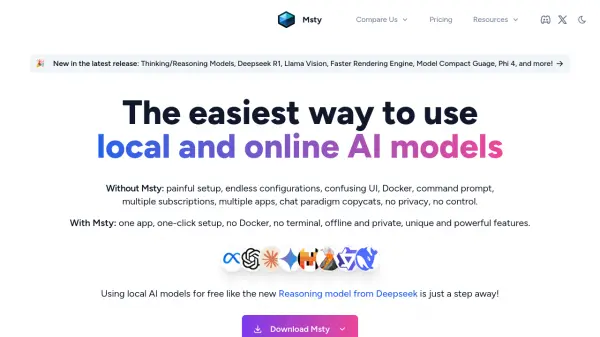
Msty is a desktop application designed to make interacting with both local and online AI models simple and intuitive. It prioritizes offline functionality, ensuring user privacy and data security, while also providing the flexibility to connect with popular online model vendors.
The application offers a streamlined setup, avoiding the complexities of Docker, command prompts, and multiple configurations. It's built to be accessible to users of all technical levels, from beginners to experienced developers. Msty stands out by allowing users to seamlessly integrate and compare different AI models, providing a robust environment for research and development.
Features
- Offline-First, Online-Ready: Functions seamlessly offline, with optional support for online model vendors.
- Parallel Multiverse Chats: Compare responses from multiple AI models in real-time.
- Knowledge Stack: Integrate multiple data sources, including files, folders, Obsidian vaults, and YouTube transcripts.
- Web Search: Fetch live data to enhance conversations with up-to-date information.
- Prompt Library: Access pre-built prompts or add custom prompts.
- Ollama Integration: Use existing models from Ollama.
- Ultimate Privacy: No personal information leaves the user's machine.
- Multiple Workspaces: Isolate data and sync across devices.
- Attachments: Attach images and documents to chats.
- Flowchat: Visualize chat interactions dynamically.
Use Cases
- Comparing different AI model responses for research.
- Building a comprehensive knowledge base from diverse data sources.
- Integrating real-time web data into AI conversations.
- Experimenting with local AI models without complex setups.
- Maintaining data privacy and security with offline operation.
- Organizing and managing multiple AI-powered projects.
- Creating detailed and informative interactions with the use of attachments.
FAQs
-
Do you collect any telemetry data?
The FAQ section is present in the provided content, but the answer to this specific question isn't explicitly stated. Therefore, answering it would involve adding information not directly provided, which violates the instructions. -
Is it possible to use Msty offline?
The FAQ section is present in the provided content, but the answer to this specific question is already answered in the "description" and "top_features". -
What about privacy?
The FAQ section is present in the provided content, but the answer to this specific question is already answered in the "description" and "top_features". -
Can I use my existing models from Ollama?
The FAQ section is present in the provided content, but the answer to this specific question is already answered in the "description" and "top_features". -
Is Msty free?
Personal usage is free. Professional or business use requires a paid license.