What is MSG Converter?
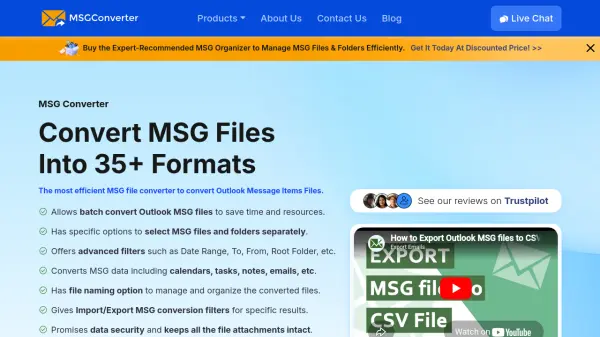
MSG Converter is a specialized software solution designed to convert Outlook Message Item Files (MSG) into various formats. This tool supports batch conversion of MSG files and folders, allowing users to process multiple items simultaneously. It offers advanced filtering options such as date range, sender, recipient, and subject to refine conversion results.
The software maintains all original file elements including attachments, formatting, metadata, and embedded images during conversion. It provides multiple file naming options and generates detailed conversion logs for tracking purposes. MSG Converter is compatible with both Windows and Mac operating systems, ensuring broad accessibility for different user environments.
Features
- Batch Conversion: Convert multiple MSG files or folders simultaneously
- Format Support: Export to 35+ formats including PDF, EML, PST, DOC, and image formats
- Advanced Filters: Use date range, sender, recipient, and subject filters for precise conversion
- Data Preservation: Maintain all attachments, formatting, and metadata during conversion
- File Naming Options: 10+ naming conventions for organized output files
- Dual Selection Mode: Choose individual files or entire folders for conversion
- Cross-Platform: Compatible with Windows and Mac operating systems
- Conversion Logs: Generate detailed SavingLog.txt reports for tracking
Use Cases
- Converting Outlook emails to PDF for legal documentation
- Migrating MSG files to other email clients like Thunderbird or Office 365
- Creating backups of important email communications in multiple formats
- Reducing file size by converting large MSG files to compact formats like EML
- Extracting forensic evidence from MSG files for digital investigations
- Sharing email content in document formats like DOC or TXT
- Organizing email archives by converting to different file types
- Preparing email data for import into different software systems
FAQs
-
What are the system requirements for MSG Converter?
MSG Converter requires Windows OS 11, 10, 8, 7 (32-bit or 64-bit) or Mac OS 10.8 and above, with minimum 4GB RAM, 200MB hard disk space, and Intel Pentium 1 GHz processor (2.4 GHz recommended). -
Does the free version have any limitations?
The free trial version converts only 25 MSG files per folder but includes all other features like advanced filters and multiple format options. -
What happens after I purchase the pro version?
After successful payment, you receive a download link and activation key via email to install and activate the full version. -
Can I convert MSG files with all their elements preserved?
Yes, the tool converts all MSG data elements including notes, journals, tasks, contacts, calendars, attachments, formatting, and metadata without alteration. -
Is there technical support available?
Yes, the pro version includes 24x7 technical support to assist users with any issues or questions.