What is MovieAIPoster?
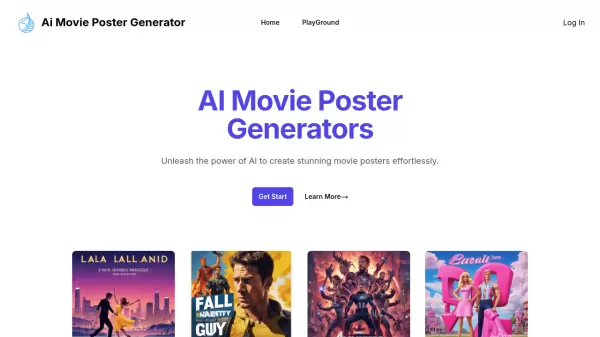
MovieAIPoster transforms creative ideas into stunning movie posters through advanced AI technology. This innovative platform enables users to generate professional-quality movie posters by simply inputting movie-related prompts.
The platform features an intuitive interface with prompt suggestions, customizable input options, and instant generation capabilities, making it accessible for both beginners and experienced creators looking to design compelling movie artwork.
Features
- Instant Generation: Create movie posters in just seconds
- Prompt Suggestions: Pre-selected prompt examples for inspiration
- Custom Input: Flexibility to enter personalized movie-related prompts
- High-Quality Output: Professional-grade poster generation
- Simple Interface: User-friendly design process
- Image Saving: Easy download options for generated posters
Use Cases
- Independent film promotion
- Movie concept visualization
- Film festival submissions
- Student film projects
- Movie marketing materials
- Film pitch presentations
FAQs
-
What kind of prompts can I use?
You can use any movie-related prompt you like. For example, you could enter the name of a movie, a genre, a character, or a plot summary. -
Can I save the movie posters I create?
Yes, you can save the movie posters you create by right-clicking on the image and selecting 'Save image as'.