Mou Personal favicon

Mou Personal
Unified Scheduling and Task Management for Better Connections

What is Mou Personal?

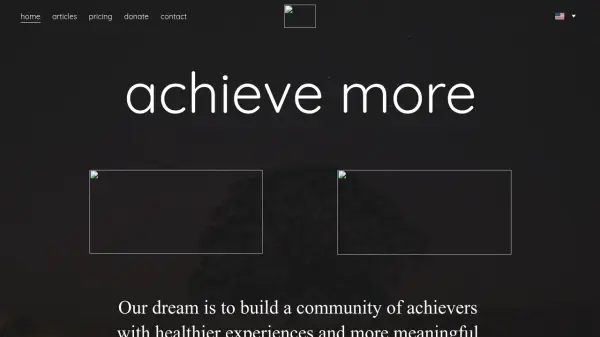
Mou Personal is designed to enhance productivity and connectivity by unifying personal and professional calendars in a single, easy-to-use platform. It simplifies the process of inviting friends and colleagues to activities with instant confirmations, eliminating the confusion of endless group chats and missed messages.

The platform offers robust task and project management tools, allowing users to create, assign, and share to-do lists with both friends and teams. Its intuitive interface provides clear schedule visibility, real-time notifications, and powerful filtering options to help users prioritize and manage their commitments. Mou Personal aims to foster a healthy community of achievers through efficient scheduling, comprehensive task tracking, and seamless collaboration.

Features

  • Unified Calendar: Merge personal and professional calendars into one view
  • Instant Event Invites: Send invitations and receive real-time confirmations
  • Collaborative To-Do Lists: Create and share checklists with friends, family, or teams
  • Project Management: Assign tasks, set deadlines, and track project progress
  • Intuitive Filters: Prioritize and organize tasks and events easily
  • Team Scheduling: Roster creation and management for teams or groups
  • Real-Time Notifications: Stay updated on all activities and accomplishments

Use Cases

  • Coordinating family events and gatherings
  • Scheduling team meetings and work tasks
  • Organizing household chores with roommates
  • Managing project timelines for small businesses or organizations
  • Creating and sharing personal fitness routines
  • Streamlining schedule management for multi-location businesses

Related Tools:

Blogs:

  • Top 6 AI note-taking tools for 2026: in-person, online, and hybrid use cases

    Top 6 AI note-taking tools for 2026: in-person, online, and hybrid use cases

    Most AI note-taking lists are really lists of meeting bots, which join your video call and transcribe it. That's useful, but it's half the picture. Decisions happen in hallway conversations, client dinners, on-site visits, and hybrid rooms where nobody is on a video link. This guide covers different parts of the note-taking workflow: hardware capture for in-person settings, platform-native tools for online calls, and AI layers for organizing and synthesizing what you've captured. It compares six tools by capture context, workflow fit, pricing, and limitations.

  • Chat with PDF AI Tools

    Chat with PDF AI Tools

    Easily interact with your PDF documents using our advanced AI-powered tool. Whether you're reading lengthy reports, research papers, contracts, or eBooks, our platform lets you chat directly with your PDF files, ask questions, extract insights, and get summaries in real-time.

  • Best ai tools for Twitter Growth

    Best ai tools for Twitter Growth

    The best AI tools for Twitter's growth are designed to enhance user engagement, increase followers, and optimize content strategy on the platform. These tools utilize artificial intelligence algorithms to analyze Twitter trends, identify relevant hashtags, suggest optimal posting times, and even curate personalized content.

Didn't find tool you were looking for?

Be as detailed as possible for better results