Minority favicon

Minority
Streamline Your Work Process

What is Minority?

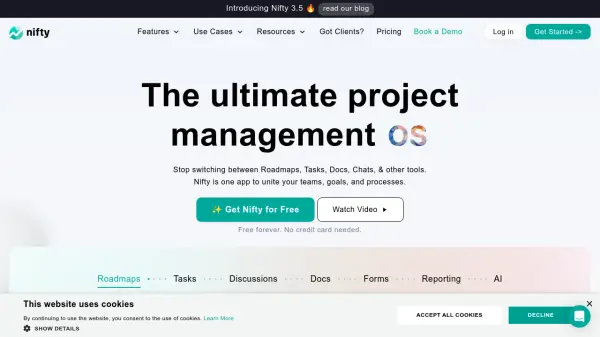
Minority is a workflow management platform designed to streamline business processes by converting disorganized tasks into structured workflows. It enables users to create interactive workflows, integrations, and flow-oriented processes through customizable elements and steps that require confirmation.

The platform provides real-time tracking of work progress, allowing teams to monitor status, manage spending, and allocate resources effectively. It supports collaboration by enabling team member assignments to specific steps and offers customization options including API integrations and pre-defined flows for enhanced process execution.

Features

  • Task Tracker: Monitor and manage tasks with real-time status updates
  • Workflow Modeling: Create interactive workflows with customizable elements and steps
  • Team Collaboration: Assign teammates to specific steps for coordinated execution
  • API Integration: Connect with third-party services and build custom elements
  • Spending Tracking: Manage and allocate resources with budget monitoring tools
  • Timer Functionality: Schedule delayed workflow execution for timed processes

Use Cases

  • Business process optimization and workflow analysis
  • Project management with structured task execution
  • Team collaboration and responsibility assignment
  • Resource allocation and budget tracking for projects
  • Client demonstration of project performance and expertise
  • Workflow automation through API integrations

Related Tools:

Blogs:

  • Top 6 AI note-taking tools for 2026: in-person, online, and hybrid use cases

    Top 6 AI note-taking tools for 2026: in-person, online, and hybrid use cases

    Most AI note-taking lists are really lists of meeting bots, which join your video call and transcribe it. That's useful, but it's half the picture. Decisions happen in hallway conversations, client dinners, on-site visits, and hybrid rooms where nobody is on a video link. This guide covers different parts of the note-taking workflow: hardware capture for in-person settings, platform-native tools for online calls, and AI layers for organizing and synthesizing what you've captured. It compares six tools by capture context, workflow fit, pricing, and limitations.

  • Ghibli Art Generator AI tools

    Ghibli Art Generator AI tools

    List of the best AI tools to turn your photos into images that look like Studio Ghibli movies. Easy to use and fun for everyone.

  • AI Testimonial Videos: How to Build Social Proof That Actually Converts

    AI Testimonial Videos: How to Build Social Proof That Actually Converts

    AI testimonial videos are transforming marketing in 2026 by helping businesses create professional customer-style videos quickly and affordably. Using real customer reviews, short scripts, and AI tools like Pollo AI, brands can produce engaging testimonials for social media, landing pages, and ads while saving time and improving conversions.

Didn't find tool you were looking for?

Be as detailed as possible for better results