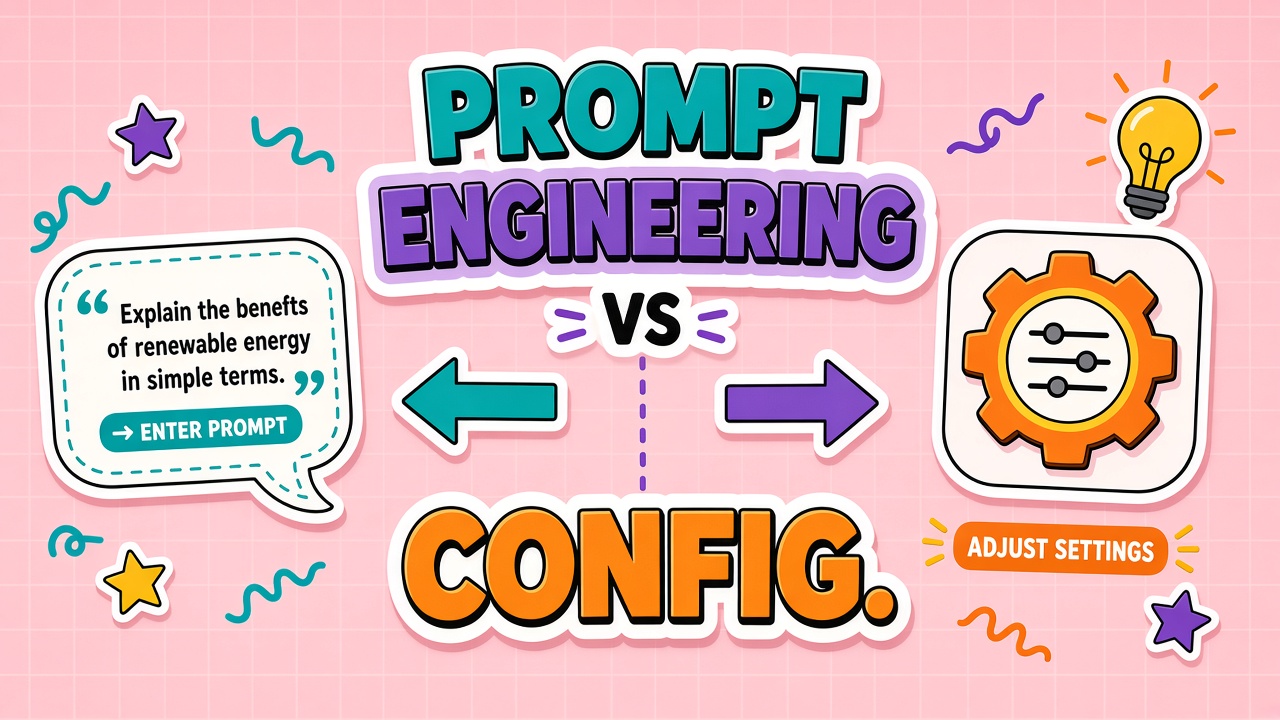
Two marketers open the same AI writing tool. One types a long instruction block into a freeform prompt box. The other clicks toggles for tone, audience, length, and brand voice, never seeing the underlying text. Both think they "configured" the assistant. Only one change is versioned, permissioned, and testable. Understanding prompt engineering versus configuration is how teams avoid silent regressions when AI writing tools and AI marketing platforms ship behavior as a mix of sliders and hidden system prompts.
Prompt engineering is the practice of crafting instructions, examples, and constraints that steer model output. Configuration is the product layer that exposes those instructions as named settings, templates, and guardrails. In mature tools, configuration compiles into prompts behind the scenes. In immature tools, critical behavior lives only in one power user's notebook. Buyers should know which path a vendor takes before they scale across a department.
UI Settings Versus Raw Prompts: What Users Actually Control
Raw prompt engineering means editing the full instruction text: system message, few-shot examples, delimiter formats, and output schemas. Power users and developers work here because every word is visible. UI configuration abstracts that text into fields: "Tone: professional," "Audience: CTO," "Max length: 150 words." The product maps each field to prompt fragments maintained by the vendor or your admin console.
Abstraction helps consistency until you need behavior the toggles do not cover. Then teams paste workaround paragraphs into user prompts, defeating governance. Good products expose an advanced mode or admin-only prompt editor for exceptions while keeping defaults safe for general users.
What often hides behind configuration toggles
- System prompts: Fixed instructions prepended to every request; users may never see them.
- Style presets: Bundles of tone, formatting, and refusal rules compiled from marketing names like "LinkedIn post."
- RAG instructions: How to cite sources, what to do when retrieval is empty.
- Output parsers: JSON mode, bullet limits, or headline count enforced in hidden templates.
- Safety layers: Additional classifiers or moderation prompts applied after generation.
| Approach | Best for | Risk |
|---|---|---|
| Raw prompts | Novel workflows, engineering-led agents, rapid experiments | Inconsistent copies, secret sauce in personal docs |
| UI configuration | Distributed marketing and support teams, brand compliance | Opaque changes when vendor updates preset mappings |
| Hybrid admin console | Central governance with local flexibility | Requires role design and review workflows |
Who Owns Prompt and Configuration Changes
Ownership confusion causes the most production incidents. Marketing owns campaign templates but engineering owns API keys. Legal owns disclaimer text but nobody owns the system prompt that mentions warranties. Define RACI before scale: who may publish, who must approve, who can roll back.
A practical split: platform owners (engineering or IT) manage models, integrations, secrets, and environment promotion. content owners (marketing, support, product) manage customer-facing instructions within guardrails. Compliance approves categories that touch regulated claims. Changes that cross boundaries (new data source, new outbound action) need joint sign-off.
In marketing automation, the campaign manager should not silently edit global brand voice presets without notification. In writing tools, freelance contributors should use locked templates while editors retain override rights with audit logs.
Version Control and Change Management for AI Behavior
Treat prompts and configuration like application code. Store them in git when the product allows export, or use the vendor's built-in version history with named releases. Each change should link to a ticket: why tone shifted, which campaign triggered it, what metric you expect to move.
Promotion paths mirror dev/staging/prod. Test new prompt bundles against a frozen evaluation set before promoting to production workspaces. Tag versions semantically ("brand-v3-holiday") so support can identify which config produced a bad email when a customer complains three weeks later.
Diffs, rollback, and vendor-side updates
Ask vendors whether they change default presets without notice. A silent vendor update to the "professional" tone mapping can flatten your differentiators overnight. Contractual notice periods help enterprise buyers. For self-managed prompts, keep rollback one click away and monitor output quality metrics after each deploy.
Testing Configuration Changes Before They Reach Customers
Testing config changes is not optional once AI output ships automatically. Build a small golden set of inputs representing critical intents: product launch email, refund reply, pricing page headline, social post for a regulated phrase. Run the set after every config change and compare outputs to baselines or human-approved references.
- Define pass criteria: Must include disclaimer X, must not mention competitor Y, must stay under Z characters.
- Automate checks: Use schema validation, keyword rules, or a second model pass labeled "judge" with caution about judge bias.
- Sample live traffic: Shadow mode sends new config to ten percent of requests for review before full rollout.
- Human spot checks: Reviewers score a random slice weekly even when automated tests pass.
Regression testing catches config edits that improve one campaign while breaking another. A shorter max-length setting might help tweets but truncate legal footers in email footers. Matrix your tests across channels, not only the channel that requested the change.
No-Code Limits and When to Involve Engineering
No-code configuration hits ceilings quickly: complex branching, multi-tool agents, custom retrieval filters, and per-segment logic often need code. Signs you outgrew pure UI config include duplicate templates differing by one clause, manual copy-paste between tools, and prompt length warnings on every save.
Engineering should own integration boundaries: CRM field mapping, webhook auth, structured output schemas, and evaluation pipelines. Marketing should still own message strategy inside those boundaries. Blurring the line produces either fragile Zapier chains or marketers editing JSON they do not understand.
Collaboration Between Marketing, Legal, and Engineering
Configuration works when each function knows its lane. Marketing defines voice, offers, and channel constraints. Legal approves claims, disclaimers, and data handling language embedded in templates. Engineering wires integrations and ensures configuration changes propagate to staging before production. Weekly thirty-minute syncs during rollout beat endless email threads about which toggle controls the footer disclaimer.
Shared glossaries reduce prompt sprawl. Instead of twelve slightly different definitions of "enterprise tone," maintain one approved snippet referenced by ID in multiple templates. When legal updates warranty language, one glossary edit updates every compiled prompt that references it. Tools without snippet reuse force manual find-and-replace across presets, which is how contradictory copy ships to different regions.
For global teams, separate configuration by locale while keeping structure parallel. French templates should mirror English field names so engineers can run the same evaluation harness across languages. Translators edit content fields, not hidden system prompts, unless they are trained on injection risks and brand rules for that locale.
Practical Governance Checklist for Marketing and Writing Teams
Before rolling an AI writing or marketing tool to more than a pilot group, confirm the product supports named templates, role-based edit rights, export for backup, and history of who changed which setting. Document which fields are safe for general users versus admin-only. Train users not to paste confidential data into freeform boxes when configuration should reference approved snippets instead.
Documentation, Handoff, and Onboarding New Teammates
New hires should not reverse-engineer behavior from random saved prompts in shared drives. Maintain a single "source of truth" page listing active template versions, who owns them, and links to evaluation results. Onboarding modules should walk through configuration UI first, then show the compiled prompt in read-only admin view so concepts connect.
When agencies or contractors touch writing workflows, grant access to sandbox workspaces with cloned templates, not production keys. Handoff at project end should include exported configs and a short video of non-obvious toggles. Without handoff discipline, the next freelancer reinvents prompts from scratch and brand drift returns within a quarter.
Seasonal campaigns need dated config branches. Holiday tone presets should not overwrite evergreen support templates. Name branches by season and merge only the fields that truly change. That pattern keeps prompt engineering experiments isolated from always-on customer communications.
Frequently Asked Questions
Is prompt engineering the same as configuration?
Not exactly. Prompt engineering is the craft of writing effective instructions. Configuration is how products package those instructions for non-developers. Many configs are prompts under the hood, but users interact with labels and validations instead of raw text.
What are typical no-code limits?
Limited branching logic, no custom retrieval scoring, restricted API access, capped prompt length, and inability to run private evaluation harnesses. When you need those, plan for API or self-hosted orchestration alongside the no-code UI for business users.
Who should edit system prompts?
Restrict system prompts to admins with training on brand, legal, and security implications. General users should work within templates derived from approved system prompts.
How do we avoid lock-in on proprietary config formats?
Export templates regularly to git or a document store. Prefer tools that expose prompt text on export, not only opaque preset IDs. Maintain an internal copy of golden prompts even if the UI is the primary editor.
How often should we re-test configurations?
After every intentional change, after vendor changelog emails about model or preset updates, and on a scheduled monthly cadence for high-risk templates. Regulated content may require per-release testing aligned with your compliance calendar.
Configure for Scale, Engineer for Edge Cases
Prompt engineering and product configuration are two interfaces to the same behavior layer. Distributed teams need configuration with ownership, versioning, and tests. Engineering teams need visibility into what the UI compiles to so debugging stays possible when outputs drift.
Evaluating AI writing software or marketing AI? Ask how settings map to prompts, who can change them, and how you roll back a bad Tuesday afternoon edit. The best tools make configuration feel simple while keeping the power of prompt engineering available to the right people under the right controls.