

What is Memolli?
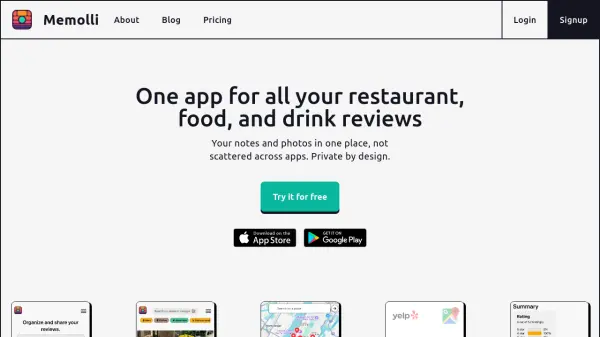
Memolli serves as a centralized journal for recording personal reviews of restaurants, bars, cafes, and various food and drink items. It allows users to store notes, photos, and ratings in a single application, eliminating the need to scatter information across multiple platforms. The tool emphasizes privacy by keeping reviews private by default, though users can choose to share lists with others.
It offers features like organizing reviews into customizable lists, syncing data across devices, and providing AI-powered suggestions to streamline the review process. These AI suggestions help identify details such as names, brands, and categories based on user inputs, reducing manual data entry. Users can also access their data offline and export it for backup, ensuring long-term ownership of their content.
Features
- AI-Assisted Reviews: Uses photos and notes to generate suggestions like name, brand, and category identification
- Organize into Lists: Create and share public or private lists to categorize reviews
- Notes & Photos: Record detailed thoughts with customizable review templates and media
- Track Restaurants and More: Review locations on a map with private or public settings
- Data Syncing: Access reviews across devices with cloud storage and offline capability
Use Cases
- Keeping a personal food and drink journal
- Tracking restaurant visits and preferences
- Organizing tasting notes for beverages like tea or beer
- Sharing curated lists of favorite places with friends
- Reducing manual data entry with AI suggestions for reviews
FAQs
-
What types of items can I review with Memolli?
You can review restaurants, bars, cafes, and various food and drink products like tea, beer, or cheese. -
Is my data private by default in Memolli?
Yes, reviews are private by default, but you can choose to share lists with others if desired. -
Can I access my reviews without an internet connection?
Yes, Memolli allows offline access to your data on supported devices. -
How does the AI assistance work in reviews?
The AI uses your photos and notes to suggest details like name, brand, and category, helping to speed up data entry. -
What are the storage limits for photos in the free plan?
The free plan includes up to 500 MB of storage for photos.