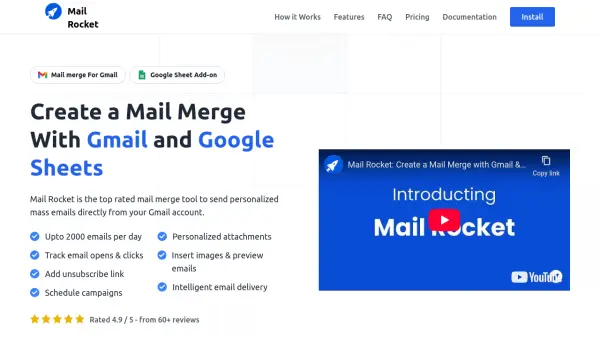
What is Mail Rocket?
Mail Rocket provides a seamless solution for sending personalized mass emails directly from a user's Gmail account by integrating with Google Sheets. This tool is designed as a Google Sheet Add-on, enabling users to manage their contact lists within Sheets and launch email campaigns efficiently. It allows for the personalization of various email elements, ensuring messages appear individually crafted for each recipient.
To enhance email outreach, Mail Rocket incorporates features aimed at improving deliverability, such as intelligent email sending in batches with delays. Users can track the performance of their campaigns by monitoring email opens and clicks. The platform also supports advanced functionalities like scheduling campaigns for specific times, adding personalized attachments for each recipient, and managing unsubscribes effectively, making it a comprehensive tool for email marketing and communication directly within the familiar Google environment.
Features
- Email tracking: Track emails sent, opened, clicked and unsubscribed in real time.
- Schedule campaigns: Set the date and time for emails to be sent.
- Manage unsubscribes: Include an unsubscribe link for easy opt-out.
- Personalized emails: Use dynamic variables, attachments, and links in a rich text editor.
- Preview emails: Preview emails and send test emails before launching.
- Personalized attachments: Add multiple unique attachments per recipient.
- Intelligent Email Delivery: Sends emails in batches with delays to improve inbox placement.
- Filter recipients: Send targeted campaigns to specific segments of the contact list.
- Add Cc, Bcc and Reply-To: Include these fields in email campaigns.
- Delay between emails: Customize the delay between sending individual emails.
- File attachments: Include various file types in email campaigns.
- Insert images: Add images directly into the email editor.
Use Cases
- Sending marketing newsletters
- Distributing personalized sales outreach emails
- Communicating updates to a customer base
- Sending event invitations and follow-ups
- Managing internal communications within an organization
- Conducting personalized outreach campaigns
FAQs
-
How many emails can I send with Mail Rocket?
Mail Rocket adheres to Gmail's limits: up to 500 emails/day for standard Gmail accounts (@gmail.com) and up to 2000 emails/day for Google Workspace accounts. Your specific quota depends on your account type and Mail Rocket plan. The free plan allows up to 50 emails daily. -
How do I add CC or BCC recipients with Mail Rocket?
Add a column in your Google Sheet with "cc" or "bcc" as the header. Enter the email addresses in the cells below. Separate multiple addresses with commas. -
How does Mail Rocket safeguard user data?
Mail Rocket prioritizes data security by keeping user data primarily within their Google Spreadsheet. It requires minimal permissions, processing only essential data like email addresses and campaign metadata (number of emails, date, sheet name, opens, clicks). -
What steps can I take to prevent my emails from going to spam?
Mail Rocket helps improve deliverability by sending emails directly from your Gmail account and incorporating built-in sending delays. Following recommended email deliverability guidelines is also advised. -
How can I manage my Mail Rocket subscription?
Manage your subscription directly from Google Sheets. Go to the "Extensions" menu, select "Mail Rocket: Mail Merge For Gmail", and choose the "Manage account" option.