What is MacID?
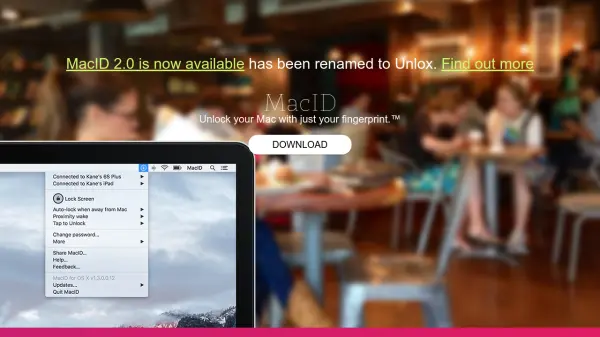
MacID leverages Touch ID on iOS devices to provide a seamless experience for unlocking your Mac, enhancing both security and convenience. With support for iPhone, iPad, and Apple Watch, users can unlock, lock, and control multiple Macs, as well as manage media and share clipboards across devices—all without typing a password.
The app includes an array of features such as Proximity Wake, Tap to Unlock, automatic locking when away, and even audio controls. MacID is designed to never connect to the internet without explicit consent, ensuring maximum user privacy. It supports a wide range of Apple hardware and delivers a unified experience across iOS and macOS ecosystems.
Features
- Touch ID Unlock: Unlock Mac computers with your fingerprint via iOS.
- Multi-Device Support: Control and unlock multiple Macs from iPhone, iPad, or Apple Watch.
- Tap to Unlock: Innovative unlocking method using device taps.
- Proximity Wake: Automatically unlocks your Mac when returning nearby.
- Automatic Locking: Locks your Mac when you move away from it.
- Media Controls: Control music playback on iTunes and Spotify.
- Clipboard Sharing: Seamlessly share clipboards between devices.
- Screensaver Activation: Start your Mac's screensaver remotely.
- Privacy Protection: Does not connect to the internet without user consent.
Use Cases
- Securely unlocking a Mac without typing a password using Touch ID.
- Remotely locking and unlocking multiple Macs from an Apple Watch.
- Automatically locking a Mac when leaving your workspace.
- Sharing clipboard content between iOS devices and Mac.
- Controlling media playback on Mac from an iOS device or Apple Watch.
FAQs
-
Which Apple devices are compatible with this tool?
Compatible devices include MacBook (2015+), MacBook Air (2011+), MacBook Pro (2012+), Mac Mini (2011+), Mac Pro (2013+), iMac (2012+), iPhone 4S and newer, iPad (4th gen and newer), iPad mini, iPad Air, iPod Touch (5th gen and newer), and Apple Watch. -
Does the tool require an internet connection?
No, it does not connect to the internet without your explicit consent. -
Can I control media playback on my Mac through iOS devices?
Yes, you can control iTunes and Spotify playback on your Mac from your iPhone, iPad, or Apple Watch. -
Is clipboard sharing between Mac and iOS supported?
Yes, the tool enables sharing clipboard content between your Mac and iOS devices.