What is LogFusion?
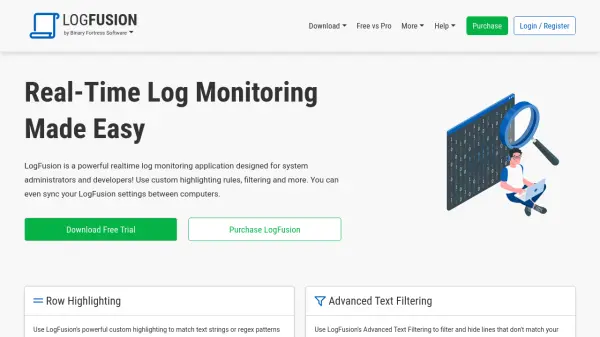
LogFusion serves as a comprehensive real-time log monitoring solution tailored for system administrators and developers. It enables users to monitor various log types, including text files, Windows Event Logs, and application debug logs, with features like custom highlighting using text strings or regex patterns, advanced text filtering for narrowing results, and automatic log loading from watched folders.
The application supports custom column definitions for parsing log lines, syncs highlighting rules online in the Pro version, and includes auto-scroll functionality similar to the 'tail' command. Additional tools like scrollbar highlight markings help users quickly locate relevant lines in large log files, enhancing efficiency in log analysis and troubleshooting.
Features
- Row Highlighting: Use custom highlighting to match text strings or regex patterns and format matched log lines
- Advanced Text Filtering: Filter and hide lines that don't match search text in real-time with complex queries
- Watched Folders: Automatically add new logs from specified folders as they are created
- Log Categories: Set up default settings for logs to save time when loading new logs
- Custom Columns: Create column definitions to parse and split log lines for easier reading
- Sync Highlight Rules: Pro version syncs highlighting rules online for access from any computer
- Auto-Scroll: Show newest lines in real-time similar to the 'tail' command
- Supports Many Log Types: Read text log files, Windows Event Logs, Event Channels, and OutputDebugString captures
- Scrollbar Highlight Markings: Scrollbar shows indicators for highlighted lines to locate matches in large files
Use Cases
- Monitoring server logs for system administrators
- Debugging application logs for developers
- Analyzing Windows Event Logs for IT professionals
- Real-time filtering of log data for troubleshooting
- Automating log file monitoring from multiple sources