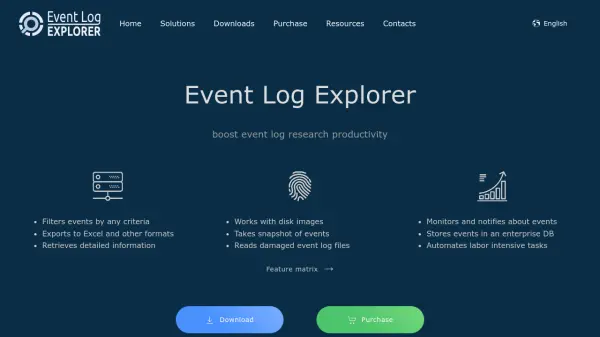
What is Event Log Explorer?
Event Log Explorer is an effective software solution for viewing, analyzing and monitoring events recorded in Microsoft Windows event logs. It greatly simplifies and speeds up the analysis of event logs such as security, application, system, setup, directory service, and DNS. The tool extends the standard Windows Event Viewer functionality, providing advanced features that help users boost their productivity. Event Log Explorer is compatible with any Windows event logs, whether local or network-based, and handles both live logs and saved files in EVT or EVTX format, including damaged log files. Users can access event logs instantly through an object tree, apply efficient filters at various loading stages, consolidate events from multiple machines, and export data to formats like Excel, CSV, and HTML.
Features
- Instant Access to Event Logs: Compatible with any Windows event logs and can access both live and saved log files.
- Efficient Filtering: Filter events before-load, on-load, and after-load with a filter library for complex criteria.
- Event Log Consolidation: Create a consolidated view of events from multiple networked machines with a few clicks.
- Export and Report Generation: Export events to Microsoft Excel, CSV, HTML, and print with customizable layouts.
Use Cases
- Analyze security events to detect intrusion attempts
- Monitor application errors for system troubleshooting
- Consolidate event logs from multiple servers for centralized auditing
- Automate event log export for compliance reporting
FAQs
-
What Windows versions does Event Log Explorer support?
Event Log Explorer supports all Windows operating systems as indicated on the website. -
Can Event Log Explorer read damaged event log files?
Yes, it has the ability to read event log files directly without Windows Event Log API to access damaged log files. -
What export formats are supported?
Events can be exported to Microsoft Excel, CSV, HTML, and other formats. -
Is it possible to consolidate event logs from multiple computers?
Yes, with a few clicks you can create a consolidated view of event logs from various networked machines. -
Does Event Log Explorer offer filtering capabilities?
Yes, it offers efficient filtering options at various stages of loading and allows creation of complex filters with a filter library.