What is Links List?
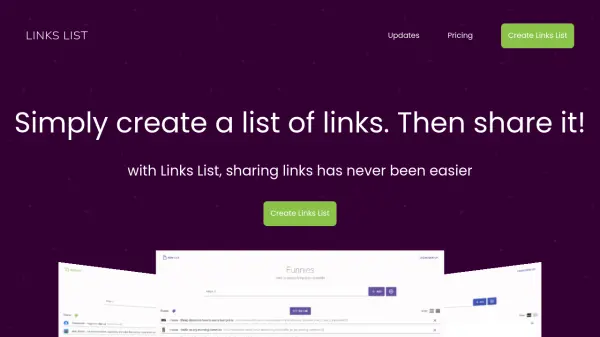
Links List enables users to save collections of URLs and share them with others through a unique link. Lists are public but not indexed by search engines, ensuring privacy for those with access. The tool supports real-time collaboration, allowing multiple users to add or remove links simultaneously, making it ideal for group projects or shared resources.
Users can customize their lists by adjusting colors, layout density (list or tile view), and adding titles and descriptions for context. The tool also includes features for importing bookmarks from HTML files and converting blocks of text into clickable links through parsing. With options for free and paid plans, Links List offers flexibility for personal or professional use without requiring an account for basic functionality.
Features
- Real-Time Collaboration: Shared lists update automatically as links are added or removed by multiple users.
- URL Parsing: Converts blocks of text into clickable links by extracting all URLs from pasted content.
- Bookmark Import: Allows importing bookmarks from HTML files by copying and pasting text into the list.
- Customizable Appearance: Offers color-coding and layout options (list or tile view) for easy identification and display.
- Metadata Customization: Enables users to set titles and descriptions for lists, which update browser tab titles for navigation.
Use Cases
- Creating a shared resource list for team projects or presentations.
- Building a gift registry or wishlist for events like birthdays or holidays.
- Organizing research links for academic or professional purposes.
- Compiling presentation resources or references in a collaborative setting.
- Managing personal bookmarks by importing and sharing them with others.
FAQs
-
How do I import bookmarks into Links List?
Export your bookmarks as an HTML file, open it in a text editor, copy all text, and paste it into the input box of your Links List; the tool will parse the text and extract all URLs. -
Can I customize the appearance of my Links List?
Yes, you can use the color palette to color-code lists and choose between list or tile layouts for display density. -
Are Links Lists searchable by search engines?
No, lists are public but not indexed by search engines, ensuring they are only accessible to people with the URL. -
What happens if I paste a block of text with URLs into Links List?
The application parses the text, finds all URLs, and adds them as individual items to the list. -
Do I need an account to use Links List?
No account is needed for the free plan, which includes unlimited public lists and basic features.