What is LimanDoc?
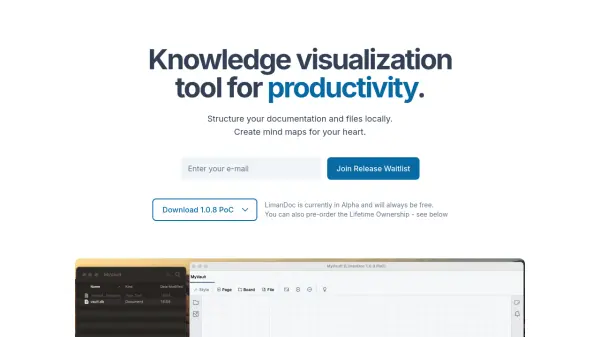
LimanDoc is a knowledge visualization tool designed to enhance productivity by replacing traditional folder hierarchies with an infinite zoomable canvas. Users can create mind maps and diagrams with inner canvases, allowing for a more intuitive and flexible way to structure documentation and files. The tool supports various file formats including PDFs, images, and markdown files, which are rendered directly on the canvas. Files stored in a vault appear as icons that can be arranged visually, and any edits made to files—even outside the app—are synced immediately.
LimanDoc is available on MacOS, Linux, and Windows, with mobile support coming soon. It is offline-first and uses peer-to-peer synchronization, ensuring data privacy without central servers. The app is currently in Alpha and will always remain free, with an optional Lifetime Ownership plan for additional features like automatic backups and priority support.
Features
- Infinite Zoomable Canvas: Create mind maps and diagrams with an infinite zoomable canvas that allows for flexible visual organization.
- File Support: Store and render files of any format including PDFs, images, text/markdown, and icons directly on the canvas.
- Live File Sync: Automatically syncs file changes made inside or outside the app without manual intervention.
- Markdown Support: Create rich documents with lists, todos, tables, embedded images, and more.
- Cross-Platform: Available on MacOS, Linux, and Windows; mobile support coming soon.
- Offline First: No central servers; data is stored locally and synced peer-to-peer.
Use Cases
- Visual project planning and brainstorming
- Organizing research notes and documents
- Creating knowledge bases and wikis
- Mapping out software architecture or workflows
- Personal knowledge management (PKM)
FAQs
-
How does LimanDoc differ from other documentation tools?
LimanDoc replaces folder hierarchies with an infinite zoomable canvas, allowing users to visually organize files of any format. It is offline-first and uses peer-to-peer synchronization for privacy. -
What features are in development?
Upcoming features include P2P sync, community and personal templates, and mobile apps. -
Is it free and open source?
LimanDoc is free to use forever. It is not currently described as open source, but the source code availability is not specified. -
Where to submit bugs?
Users can submit bugs via the contact information provided on the website, or through the standard support channel for free users.