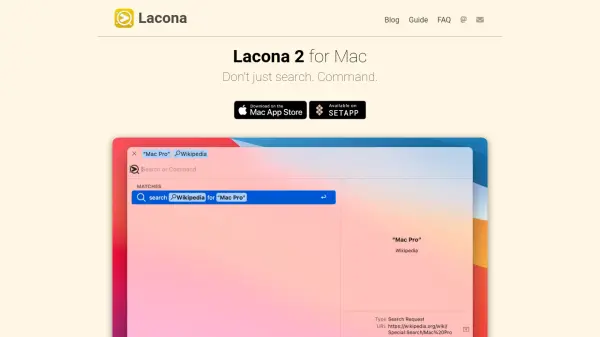

What is Lacona?
Lacona is a productivity tool designed for Mac users who want rapid, intuitive control over their system. It enables you to search apps, files, contacts, events, reminders, music, and more—all in one place—with exceptional speed and accuracy. The app supports fuzzy matching for effortless discovery and features a visually polished interface with dark mode and elegant previews.
Beyond search, Lacona supports powerful natural language commands for executing tasks such as sending messages, performing calculations, converting units, opening URLs, and managing system preferences. Integration with popular third-party apps enhances its utility, allowing users to seamlessly manage to-dos, notes, and more, all with simple English commands and without complex setup.
Features
- Natural Language Commands: Control your Mac and run tasks using plain English
- Fast and Fuzzy Search: Quickly find apps, files, contacts, events, and music
- Third-Party Integrations: Connect with Things, Ulysses, Soulver, and other popular Mac apps
- Advanced File Management: Search, reveal, navigate, move, duplicate, and delete files
- Comprehensive System Control: Change audio devices, toggle dark mode, adjust settings, and eject drives
- Productivity Enhancements: Perform math, unit conversions, calendar events, reminders, notes, and more
- Communication Tools: Make calls, send messages, and emails directly
- Elegant Interface: Features dark mode, vibrancy, and elegant previews
Use Cases
- Quickly launching applications and opening files with a keystroke
- Performing system-wide searches for contacts, events, music, and reminders
- Executing system commands and toggling settings via natural language
- Sending messages, making calls, and composing emails without opening multiple apps
- Performing calculations, conversions, and time zone math directly from the search bar
- Integrating and managing tasks in Things or notes in Ulysses from one interface
- Setting or changing system audio and managing drives efficiently
FAQs
-
What types of commands can I run in Lacona?
Lacona supports commands for launching apps, managing files, performing calculations, searching music, sending messages, making calls, and adjusting system settings, all using natural language. -
Does Lacona integrate with third-party Mac apps?
Yes, Lacona integrates with popular apps such as Things, Ulysses, and Soulver, enabling advanced task and note management through its interface. -
Can I control system settings with Lacona?
Lacona allows you to change various system settings, such as toggling dark mode and setting audio devices, using plain English commands.