What is KubeSwitch?
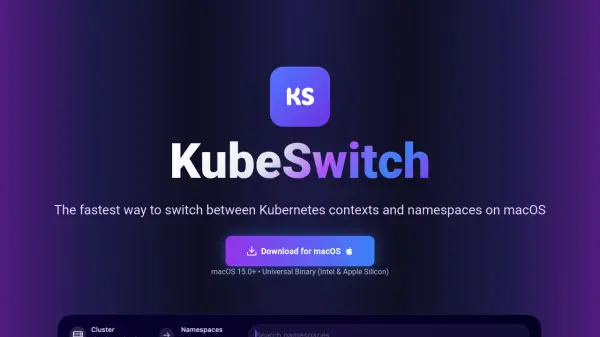
KubeSwitch is a specialized macOS application built for Kubernetes developers and DevOps professionals who need efficient cluster management. This native menu bar tool provides instant context switching capabilities with a focus on speed and security, operating entirely offline to ensure your kubeconfig credentials never leave your local machine.
The application features a Spotlight-like interface called QuickSwitch that allows for fuzzy search across contexts and namespaces, supports global hotkey access from anywhere in macOS, and automatically syncs with kubeconfig changes in real-time. KubeSwitch integrates seamlessly with existing kubectl setups and works with all major Kubernetes environments including Amazon EKS, Google GKE, Azure AKS, and on-premises clusters.
Features
- Hotkey Access: Use a global hotkey to open your Kubernetes context switcher from anywhere in macOS
- Smart Search: Instantly find and switch to any context with smart filtering and fuzzy search capabilities
- Automatic Sync: Detects kubeconfig changes in real-time, keeping your context list always up to date
- Local & Secure: Your kubeconfig credentials never leave your machine and the app works entirely offline
- Native macOS Menu Bar App: Provides at-a-glance status and quick access without needing to use the terminal
- Seamless kubectl Integration: Works with your existing kubectl setup and multiple kubeconfig files
- Universal Cluster Support: Manage contexts for Amazon EKS, Google GKE, Azure AKS, or any on-prem cluster
Use Cases
- Switching between different Kubernetes clusters during development
- Managing multiple namespaces across various environments
- Quickly accessing Kubernetes contexts without terminal commands
- Organizing Kubernetes workflows with favorites and search
- Monitoring cluster status from the macOS menu bar
- Working with mixed cloud and on-premises Kubernetes environments
FAQs
-
Can the QuickSwitch keyboard shortcut be changed?
Yes, you can customize the keyboard shortcut to any combination you prefer by going to Settings → General and using the shortcut recorder to set your preferred hotkey combination. -
Does KubeSwitch support multiple kubeconfig files?
Multiple kubeconfig support will be available in a future version. Currently, KubeSwitch works with a single kubeconfig file, which covers most use cases. The upcoming multi-kubeconfig feature will allow you to manage contexts from multiple files simultaneously with automatic merging and real-time detection. -
Will there be versions for Windows and Linux?
Yes, cross-platform support is actively being developed. Windows and Linux versions are in development, and users can subscribe to updates to be notified when they're available. -
Does KubeSwitch send my Kubernetes credentials anywhere?
No, KubeSwitch operates entirely locally on your device. Your kubeconfig files, cluster credentials, and usage data never leave your machine. Only email addresses are collected for updates when downloading the app.