What is Kibo UI?
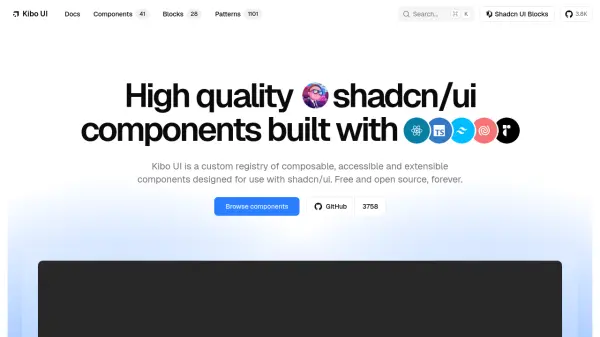
Kibo UI is a comprehensive library of high-quality UI components designed to extend the shadcn/ui ecosystem. Built with React, TypeScript, Tailwind CSS, Lucide, and Radix UI, it provides a custom registry of composable, accessible, and extensible components that are free and open source forever.
The library includes a wide range of functional components such as Color Picker, Image Zoom, QR Code, Code Block, Dropzone, and Marquee, along with precomposed blocks like Collaborative Canvas, Form, and Roadmap. With over 1000 production-ready patterns, developers can copy, customize, and ship faster than ever. Kibo UI is perfect for building modern, accessible web applications with ease.
Features
- Composable Components: All components are fully composable, allowing developers to build, customize, and extend them to their own needs.
- Accessible and Extensible: Components are built with accessibility in mind, using Radix UI primitives, and are designed to be extended.
- Precomposed Blocks: Includes ready-to-use blocks like Collaborative Canvas, Form, and Roadmap for rapid prototyping.
- 1000+ Patterns: Offers a vast collection of production-ready patterns that can be copied and customized.
- Free and Open Source: The entire library is free and open source, with a custom registry available via CLI.
Use Cases
- Building modern, responsive web applications with React and Tailwind CSS.
- Rapidly prototyping UI components for dashboards, admin panels, and landing pages.
- Creating accessible and composable design systems for enterprise applications.
- Developing interactive data visualization interfaces with advanced components like Gantt and Kanban.
- Enhancing developer productivity with a library of reusable, production-ready patterns.
FAQs
-
Is Kibo UI free to use?
Yes, Kibo UI is completely free and open source forever. -
What technologies does Kibo UI use?
Kibo UI is built with React, TypeScript, Tailwind CSS, Lucide, and Radix UI, and is designed for use with shadcn/ui. -
How do I install Kibo UI components?
You can install components using the Kibo UI CLI or shadcn CLI, for example: npx kibo-ui add component-name. -
Does Kibo UI include accessibility features?
Yes, all components are built with accessibility in mind, leveraging Radix UI primitives for accessible interactions.