

What is Instaboard?
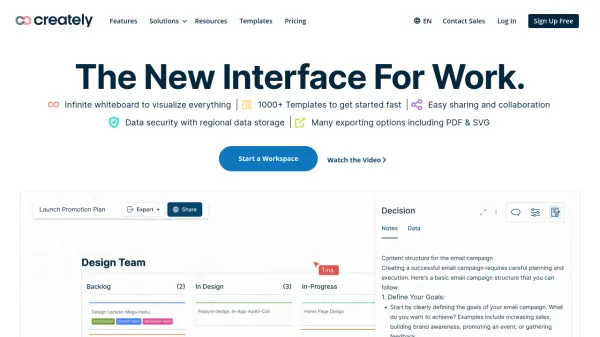
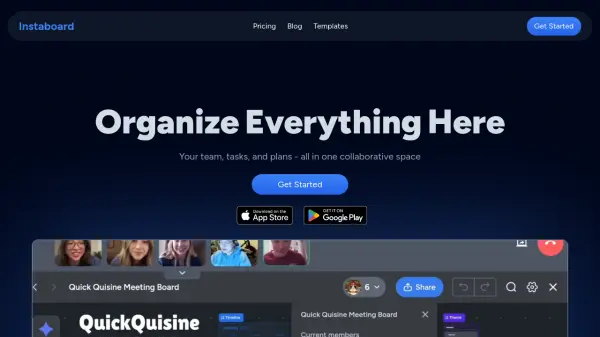
Instaboard provides a unified collaborative space where teams can organize projects, tasks, and plans visually. Its innovative board system lets users connect ideas across multiple boards, fostering a seamless flow of information similar to how thoughts interconnect. Users can capture, refine, and execute plans with clarity while maintaining context through integrated video meetings and live collaborative features.
The platform's visual hierarchy and customizable templates support quick setup and efficient navigation, while real-time synchronization ensures a consistently updated workspace across devices. Instaboard offers tools for drawing, scheduling, and live collaboration, helping teams stay productive and connected within a single, easy-to-use interface.
Features
- Connected Boards: Seamlessly link ideas and information across multiple boards.
- Instant Navigation: Quickly switch between related boards without disrupting workflow.
- Visual Hierarchy: Build easily navigable and structured project maps.
- Integrated Video Meetings: Host and join meetings directly within the workspace.
- Real-Time Collaboration: See live updates and cursor movements from team members.
- Device Sync: Access and update boards from any device with persistent synchronization.
- Customizable Templates: Utilize or create templates for rapid workflow setup.
- Drawing Tools: Communicate visually with intuitive drawing and sketching.
- Project Scheduling: Transform ideas and tasks into scheduled time blocks.
- Team Task Tracking: Assign, monitor, and collaborate on tasks in a unified view.
Use Cases
- Centralizing project management for distributed teams
- Creating visual knowledge networks for business planning
- Conducting remote brainstorming and workshop sessions
- Scheduling and hosting connected video meetings with relevant context
- Planning lessons, trips, and events collaboratively
- Tracking tasks and project progress in real time
- Developing and reusing process templates for repetitive workflows
FAQs
-
Who is the free plan for?
The free plan is designed for individuals or small teams starting on a small project, offering essential collaboration features at no cost. -
Can you help me set up and/or design my workspace?
Support is available to assist users with setting up and designing their workspace according to their needs. -
Can I cancel my subscription at any time?
Yes, subscriptions can be canceled at any time.