What is Creately?
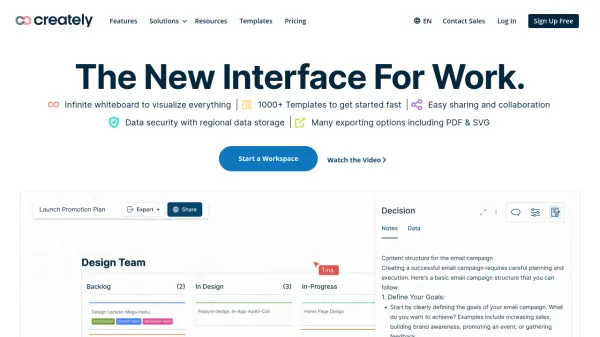
Creately is a visual workspace that empowers teams to streamline their workflows. It serves as a central platform where users can visualize everything from ideas and processes to complex systems and infrastructure. With intelligent diagramming, whiteboarding, and data-linking capabilities, Creately facilitates efficient collaboration and project management.
The platform runs on a smart visual canvas, enabling seamless integration of data, tasks, and communication. Enterprise-grade security measures, including ISO 27001 and SOC 2 - Type 2 compliance, guarantee data protection and a secure collaborative experience for all users.
Features
- Intelligent Diagramming & Whiteboarding: Intelligent diagramming and powerful whiteboard collaboration keeps everyone on the same page.
- Visual Tools: Data-linked visual apps to streamline all your efforts.
- Customizable Workflows: Customize the rules, formulas and access rules exactly the way you want.No code needed.
- Multiple task roles & flows: Multiple task roles and flows.
- Context-specific visuals: Have the same items visualized in multiple contexts, keeping everything in sync.
- AI powered visual intelligence: Generate visuals, uncover new perspectives, and automate tasks with AI.
- Centralized Knowledge Management: Keep daily tasks, wikis, resources, to run your organization in one place.
- App Integration: Integrate with other apps and data, visualize with 2-way sync.
- Enterprise Grade Security: ISO 27001, SOC 2 - Type 2, Data Residency & Up-time SLAs.
Use Cases
- Whiteboarding & Collaboration: Run Meetings, Workshops or get feedback.
- Business Process Management: Document, plan and optimize business.
- Strategy & Planning: Idea to execution on a single collaborative platform.
- Product Design: Connect ideas, people, and data on one visual platform and ship better products faster.
- System Design: Free-form visual canvas to go from architecture to implementation.
- IT and Cloud Infrastructure Management: Central hub to plan, design, and manage IT and Cloud infrastructure, Ops, and processes.
- HR Process Management: Visualize, document, and streamline HR and admin processes.
- Marketing Campaign Planning: Create a single point of reference for all your marketing activities.
- Sales Insights: Drive deeper insights with visual analysis, get stakeholders on the same page to close bigger deals.
FAQs
-
How do I get started with Creately?
Sign up for our Free plan by default and get access to 3 infinite workspaces with multi-user collaboration. Our comprehensive Getting Started guide will help you with our in-app tour. -
What are the payment methods Creately supports?
We currently accept all major credit and debit card brands. -
Can I integrate Creately with my existing workflows?
You can integrate Creately with the following supported platforms: Microsoft Teams, Slack, Github, and Atlassian Services. -
How secure is my data in Creately?
We approach data security as an ongoing journey and take our responsibility to host and manage your data seriously, making our best efforts to ensure its protection. You can learn more about our Data and Security Policy. -
Does Creately offer discounted plans for educators and students?
Yes, we offer discounted pricing for teachers and students. Make a request with your school/college email address here and one of our team members will be in touch with you.