What is iMazing?
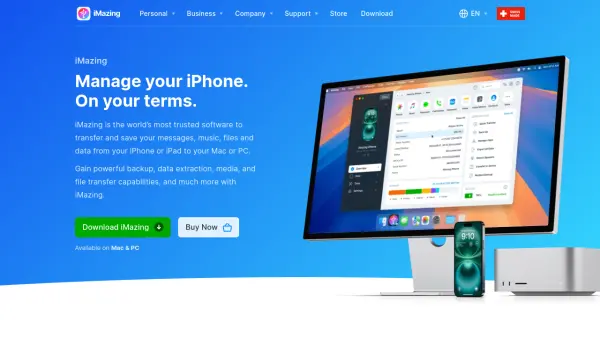
iMazing provides powerful iOS device management capabilities for both personal and business users. The software allows users to transfer messages, music, files, and data between iOS devices and computers via USB or Wi-Fi connections. It offers advanced backup features including scheduled automatic wireless backups with snapshot support and the ability to save backups to external drives or NAS systems.
The platform includes specialized tools for business environments such as device supervision, configuration profile management, and command-line interface capabilities. Users can extract and manage various data types including photos, videos, contacts, calendars, notes, voice memos, and Safari data directly from their devices or backups.
Features
- Backup Management: Schedule automatic wireless backups with snapshot support and save to external drives or NAS
- Data Transfer: Transfer messages, music, photos, files between iOS devices and computers via USB or Wi-Fi
- Business Tools: Device supervision, configuration profile management, and command-line interface for enterprise use
- Data Extraction: Extract and manage messages, contacts, calendars, notes, voice memos, and Safari data from devices or backups
- App Management: Download and install apps across iOS devices from computer
Use Cases
- Transferring photos and videos from iPhone to computer without iCloud
- Archiving and exporting messages for legal or compliance purposes
- Managing iOS device backups with automatic scheduling
- Configuring and supervising fleets of Apple devices for businesses
- Extracting data from iOS devices for evidence or recovery purposes
FAQs
-
What types of data can iMazing transfer between devices?
iMazing can transfer messages, music, photos, videos, documents, contacts, calendars, notes, voice memos, Safari data, and various other file types between iOS devices and computers. -
Does iMazing require iCloud or iTunes to function?
No, iMazing operates independently without requiring iCloud or iTunes for data transfer and management functions. -
What business solutions does iMazing offer?
iMazing provides specialized licenses for legal/e-discovery, IT help desks, and repair shops, plus tools for configuring, supervising, and provisioning fleets of Apple devices. -
Can iMazing perform automatic backups?
Yes, iMazing supports scheduled automatic wireless backups with snapshot capabilities and can save backups to external drives or NAS systems. -
What platforms does iMazing support?
iMazing is available for both Mac and PC computers and supports iOS devices including iPhone, iPad, iPod touch, Apple TV, and Apple Vision Pro.