What is ImageToText.me?
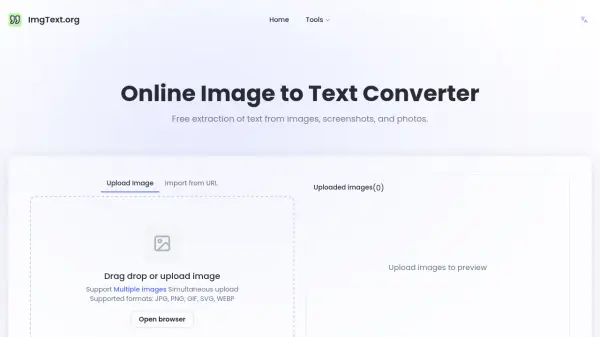
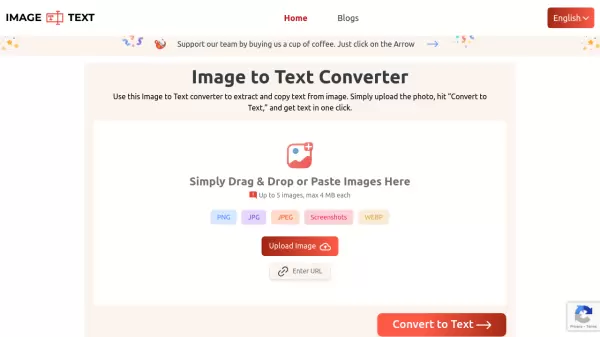
ImageToText.me is a sophisticated online OCR solution that transforms images into editable text through advanced optical character recognition technology. The platform supports multiple file formats including JPG, PNG, JPEG, WEBP, and screenshots, with the capability to process up to 5 images simultaneously, each up to 4MB in size.
The tool leverages advanced OCR models and Tesseract technology, combined with Python libraries, to deliver accurate text extraction from various sources including scanned documents, handwritten notes, screenshots, and printed materials. It stands out with its multi-language support, mathematical equation detection capabilities, and secure processing environment where no user data is stored or shared.
Features
- Multi-Language Support: Recognizes text in multiple languages including English, French, Spanish, and many more
- Multiple Format Support: Compatible with JPG, JPEG, PNG, and WEBP formats
- Batch Processing: Upload up to 5 images (4MB each) simultaneously
- Math Equation Detection: Accurately recognizes and extracts mathematical equations
- Image Cropping: Built-in cropping tool for precise text extraction
- Multiple Export Options: Download results in TXT, PDF, or DOCX formats
- Secure Processing: No data storage or sharing of uploaded files
- Blurred Image Support: Can extract text from low-resolution or blurry images
Use Cases
- Educational note-taking and study material digitization
- Research and data collection
- Professional data entry and document digitization
- Social media content creation and sharing
- Converting handwritten notes to digital text
- Extracting text from screenshots
- Processing academic materials and assignments
- Digital archiving of printed documents
FAQs
-
Is the extracted text accurate?
Yes, the extracted text is accurate as the tool uses reliable OCR models to scan the image, find all the characters, and match them with the database before providing the output. -
Can the tool recognize handwritten text?
Yes, this text extractor can easily recognize handwritten text from any handwritten material. -
What is the maximum file size and number of images allowed?
Users can upload up to 5 images per session, with each image having a maximum size limit of 4MB.