What is Image Placeholder?
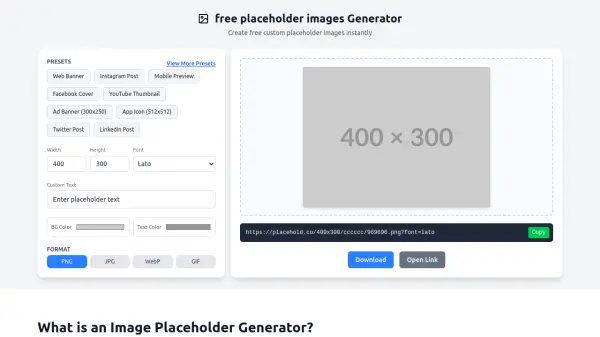
Image Placeholder is a powerful online tool designed to create custom dummy images for web development, design mockups, and prototyping without requiring real photos. It serves as an essential resource for web developers, UI/UX designers, and digital marketers by providing temporary visual content during development phases, allowing users to focus on layout, design, and functionality without distractions from content selection.
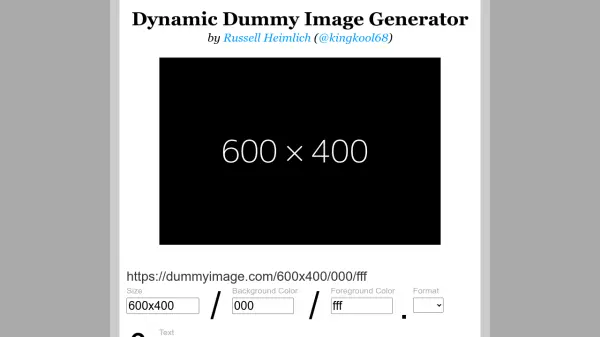
The tool eliminates common problems like broken layouts caused by missing images, ensuring projects maintain visual consistency. It offers complete customization with options for dimensions, background colors, text colors, custom text, and font families, supporting multiple export formats including JPG, PNG, WebP, and SVG. With no registration required and optimized for mobile devices, it enables instant generation and sharing of placeholder images for professional results.
Features
- Lightning Fast Generation: Generate custom placeholder images instantly with optimized HTML5 Canvas technology, no server delays
- Complete Customization: Control dimensions, background colors, text colors, custom text, and font families for brand consistency
- Multiple Export Formats: Download in JPG, PNG, WebP, or SVG formats for specific use cases and optimization needs
- Mobile Responsive: Fully optimized for mobile devices to create and download placeholder images anywhere
- No Registration Required: Start generating immediately without account creation, email verification, or hidden fees
- Easy URL Sharing: Generate shareable URLs for team collaboration and consistent design systems
Use Cases
- Fill image containers during web development to prevent broken layouts
- Create consistent mockups and wireframes for UI/UX design presentations
- Speed up rapid prototyping with instantly generated images
- Share consistent placeholder images across team members for collaboration
- Create placeholder graphics for marketing campaigns and social media posts
- Develop educational materials and tutorials with non-distracting placeholder images
FAQs
-
What is the maximum image size I can generate?
You can generate placeholder images up to 4000×4000 pixels, covering use cases from small thumbnails to large print materials. -
Can I use these images commercially?
Yes, all generated placeholder images can be used for commercial purposes as they are simple geometric shapes with text, intended as temporary placeholders. -
How do I share placeholder images with my team?
Each generated image has a unique URL that you can copy and share with team members to ensure consistency across projects. -
Does the tool work on mobile devices?
Yes, the placeholder generator is fully responsive and optimized for mobile devices, allowing creation and download from any smartphone or tablet.