What is Lorem.space?
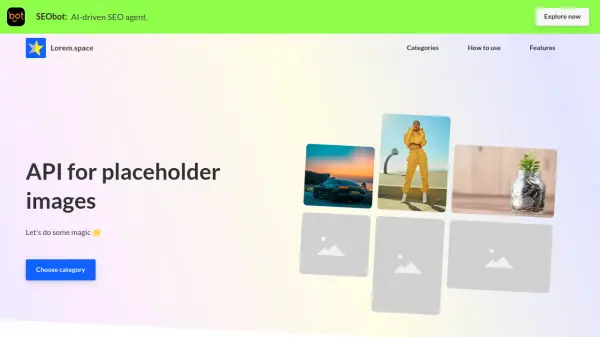
Lorem.space offers an API for generating placeholder images across multiple categories, including video games, movie posters, album covers, books, faces, fashion, and more. Users can customize image sizes by adjusting width and height parameters, with support for dimensions ranging from 8 to 2000 pixels. The service is free for both personal and commercial projects under an MIT License, ensuring accessibility for various applications.
Images are cached for efficiency, and the API allows easy integration into development workflows. Categories such as dashboard, CRM, finance, calendar, and messenger are available, catering to diverse project needs. The tool simplifies the process of obtaining high-quality placeholder images without manual creation.
Features
- API Integration: Provides a customizable API for generating placeholder images with various categories and sizes
- Custom Sizes: Allows users to set image dimensions from 8 to 2000 pixels for width and height
- Multiple Categories: Offers image categories including games, movies, albums, books, faces, fashion, and business tools
- Free Usage: Available for personal and commercial projects under an MIT License at no cost
- Cached Images: Ensures efficient delivery and performance with cached image data
Use Cases
- Generating placeholder images for website development
- Creating mockups for UI/UX design projects
- Testing applications with realistic image data
- Building prototypes with visual content
- Enhancing presentations with custom images
FAQs
-
What is the minimum and maximum image size supported?
The minimum size is 8 pixels and the maximum is 2000 pixels for both width and height. -
Is Lorem.space free to use for commercial projects?
Yes, it is free for both personal and commercial projects under an MIT License. -
What image categories are available through the API?
Categories include game, movie, album, book, face, fashion, shoes, watch, furniture, dashboard, CRM, finance, calendar, and messenger.