Logoipsum favicon

Logoipsum
Free SVG placeholder logos for design projects and mockups

What is Logoipsum?

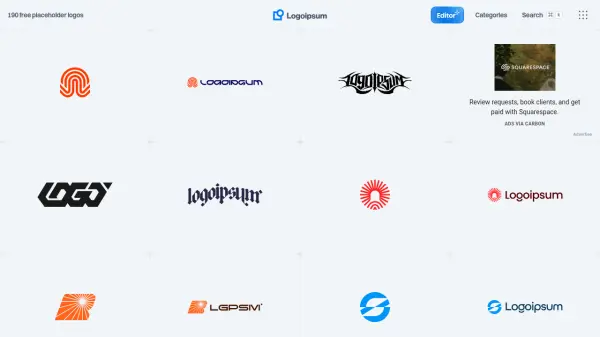
Logoipsum offers a collection of 190 free placeholder logos available in SVG and PNG formats for use in design projects and mockups. These logos come in various styles including circular, curvy, geometric, illustrative, label, line, localized, logogram, logomark, logotype, rounded, and symbol designs.

Users can easily copy logos or download them in different formats to integrate into their design workflows. The platform includes features like light/dark variation toggles and preview options for navbar integration and editor use, making it a practical resource for designers needing temporary logo solutions.

Features

  • Free Logos: 190 placeholder logos available at no cost
  • Multiple Formats: Logos provided in SVG and PNG formats
  • Style Variety: Logos available in circular, curvy, geometric, illustrative, and other styles
  • Easy Integration: Copy or download functionality for quick use in projects
  • Preview Options: Ability to preview logos on navbars and in editors

Use Cases

  • Creating design mockups for client presentations
  • Developing website prototypes with temporary branding
  • Testing different logo styles in user interface designs
  • Building project demos with placeholder branding elements
  • Educational purposes for design students learning about logo integration

Related Tools:

Blogs:

  • Top AI tools for Students

    Top AI tools for Students

    These AI tools are designed to enhance the learning experience for students. From personalized study plans to intelligent tutoring systems.

  • Top 6 AI note-taking tools for 2026: in-person, online, and hybrid use cases

    Top 6 AI note-taking tools for 2026: in-person, online, and hybrid use cases

    Most AI note-taking lists are really lists of meeting bots, which join your video call and transcribe it. That's useful, but it's half the picture. Decisions happen in hallway conversations, client dinners, on-site visits, and hybrid rooms where nobody is on a video link. This guide covers different parts of the note-taking workflow: hardware capture for in-person settings, platform-native tools for online calls, and AI layers for organizing and synthesizing what you've captured. It compares six tools by capture context, workflow fit, pricing, and limitations.

  • Best AI Tools For Startups

    Best AI Tools For Startups

    we've compiled a straightforward list of user-friendly AI tools designed to give startups a boost. Discover practical solutions to streamline everyday tasks, enhance productivity, and gain valuable insights without the need for a tech expert. Learn where and how these tools can be applied in your startup journey, from automating repetitive tasks to unlocking powerful data analysis. Join us as we explore the features that make these AI tools accessible and beneficial for startups in various industries. Elevate your business with technology that works for you!

Didn't find tool you were looking for?

Be as detailed as possible for better results