Hyper Plan favicon

Hyper Plan
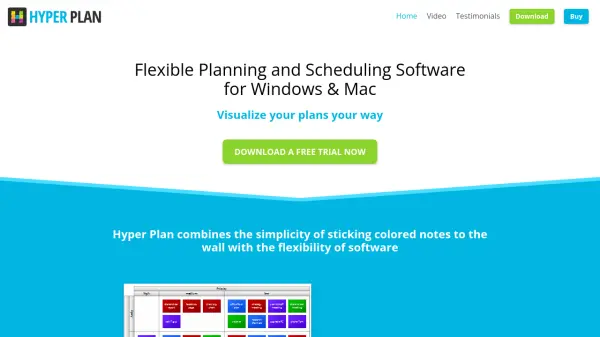
Flexible Planning and Scheduling Software for Windows & Mac

What is Hyper Plan?

Hyper Plan provides a visual approach to planning and scheduling by enabling users to layout cards in rows and columns based on any pair of properties. Users can switch between different views with a mouse click and represent card properties using colors, symbols, and text. The software supports advanced features like filtering, bar charts, unlimited properties, and connections for showing dependencies, with a tabular form for data editing.

Designed for both Windows and Mac, it offers dark mode and operates without an internet connection, ensuring privacy and dependability. It handles thousands of cards, making it suitable for various professional and personal planning needs, from agile planning to event management.

Features

  • Visual Layout: Arrange cards in rows and columns by any pair of properties with easy view switching
  • Customizable Properties: Use colors, symbols, and text to represent card attributes with unlimited property additions
  • Data Analysis: Display totals, bar charts, and pivot tables for enhanced data insights and filtering
  • Connection Management: Show dependencies and relationships between cards with interactive exploration features
  • Multi-Platform Support: Available for Microsoft Windows and Apple Mac with dark mode and offline functionality

Use Cases

  • Agile planning and project management
  • Sales pipeline tracking and marketing plans
  • Scheduling and production planning
  • Event planning and visual todo lists
  • Storyboarding and screen/novel writing
  • Resource scheduling and timetabling
  • Creating diagrams like Kanban boards and SWOT tables

Related Tools:

Blogs:

  • Boost Engagement in Ads with AI

    Boost Engagement in Ads with AI

    Discover how AI music and AI SDR agents are reshaping modern advertising. Learn how emotional resonance through AI-generated soundtracks combined with smart, automated sales outreach can turn viewers into loyal customers faster, cheaper, and more personally than ever before.

  • Top 6 AI note-taking tools for 2026: in-person, online, and hybrid use cases

    Top 6 AI note-taking tools for 2026: in-person, online, and hybrid use cases

    Most AI note-taking lists are really lists of meeting bots, which join your video call and transcribe it. That's useful, but it's half the picture. Decisions happen in hallway conversations, client dinners, on-site visits, and hybrid rooms where nobody is on a video link. This guide covers different parts of the note-taking workflow: hardware capture for in-person settings, platform-native tools for online calls, and AI layers for organizing and synthesizing what you've captured. It compares six tools by capture context, workflow fit, pricing, and limitations.

  • Best AI tools for Room Design

    Best AI tools for Room Design

    Discover cutting-edge AI tools that redefine the art of room design. From layout optimization to aesthetic finesse, these top-tier tools enhance your space to new heights.

  • Best AI tools for trip planning

    Best AI tools for trip planning

    These tools analyze user preferences, budget constraints, and destination details to provide personalized itineraries, suggest optimal routes, recommend accommodations, and even offer real-time updates on weather and local events.

Didn't find tool you were looking for?

Be as detailed as possible for better results