What is Holographics?
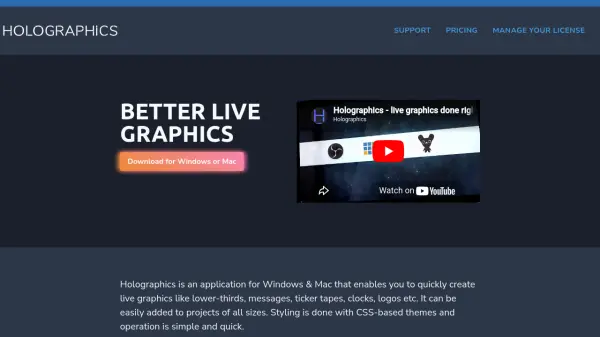
Holographics is a desktop application for Windows and Mac that allows users to quickly create live graphics such as lower-thirds, messages, ticker tapes, clocks, and logos. It is designed for easy integration into projects of all sizes, from small streams to professional broadcasts. Styling is handled through CSS-based themes, making customization accessible to anyone familiar with CSS. The application operates simply and efficiently, with a render page that can be output to supported applications like OBS, V-Mix, Wirecast, Xsplit, CasparCG, and Livestream Studio. Users can choose from various widgets and animations, and all graphics are vector-based, ensuring sharpness at any resolution, including HD, 4K, and 8K.
Holographics offers a free version with one widget and ten entries, making it easy to get started without any upfront cost. For more advanced needs, paid licenses are available, including a monthly subscription or a one-time purchase for unlimited widgets and entries. The application supports OSC for integration with broadcast solutions, and an API and SDK are available for advanced customization and automation. Regular updates and helpful support ensure the tool evolves with user needs. Whether for live streaming, broadcasting, or event production, Holographics provides a straightforward and powerful solution for live graphics.
Holographics offers a free version with one widget and ten entries, making it easy to get started without any upfront cost. For more advanced needs, paid licenses are available, including a monthly subscription or a one-time purchase for unlimited widgets and entries. The application supports OSC for integration with broadcast solutions, and an API and SDK are available for advanced customization and automation. Regular updates and helpful support ensure the tool evolves with user needs. Whether for live streaming, broadcasting, or event production, Holographics provides a straightforward and powerful solution for live graphics.
Features
- Free Tier: Use one widget with ten entries at no cost, with no watermark.
- Vector-Based Graphics: All graphics are vector-based and remain sharp at any resolution, including 4K and 8K.
- CSS Themes: Style graphics using simple CSS files for easy customization.
- Wide Compatibility: Works with OBS, V-Mix, Wirecast, Xsplit, CasparCG, Livestream Studio, and more.
- OSC Support: Trigger and control graphics via OSC for integration with broadcast solutions.
- API & SDK: Full API and NodeJS SDK for advanced integration and automation.
- Custom Animations: Choose from preset animations or create custom ones using JavaScript.
- Widgets: Includes widgets for clocks, lower thirds, messages, ticker tapes, and support for custom widgets.
Use Cases
- Live streaming overlays for Twitch or YouTube.
- Broadcast graphics for news or sports programs.
- Event production for conferences or webinars.
- Creating lower-thirds and tickers for corporate videos.
- Integrating live graphics with professional video switchers.
FAQs
-
Does Holographics support 8K resolution?
Yes, since all graphics are vector-based and rendered in a browser window, Holographics should work at 8K resolution, though it has not been officially tested. -
How do I use Holographics with a professional video switcher?
Please refer to the documentation section on using Holographics in production for detailed instructions. -
Can I create custom themes and widgets?
Yes, you need knowledge of HTML and JavaScript to create custom widgets, and CSS to create custom themes. -
What are the limitations of the free version?
The free version allows a maximum of one widget active at a time, and data-driven widgets are limited to 10 entries. Outputs via hardware devices are also restricted to the pro version. -
Can I activate Holographics on multiple machines?
Yes, you can activate up to two machines per license. You can deactivate remotely if needed.