Hello Assist favicon

Hello Assist
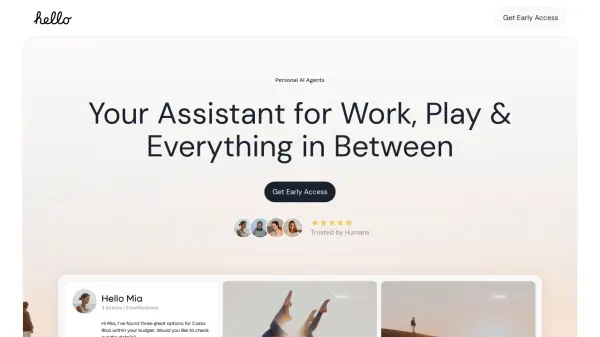
Your Assistant for Work, Play & Everything in Between

What is Hello Assist?

Hello Assist provides a platform with specialized AI assistants tailored for diverse needs. It aims to simplify and enhance daily tasks and activities. The platform is designed to bring personalized recommendations and solutions directly to the user.

The mission of Hello Assist is to empower users by reversing the typical search process. Instead of users actively searching, the platform delivers relevant offers, services, and solutions directly to them. This approach covers a range of needs, including job opportunities, shopping deals, and personalized wellness advice.

Features

  • ShoppingAssistant: AI-driven recommendations tailored for an elevated shopping experience.
  • WorkAssistant: Intuitive tools to manage deadlines and to-do lists, streamlining work processes.
  • CareerAssistant: Support for career advancement and exploration of new job opportunities.
  • HealthAssistant: Customized fitness plans, meal suggestions, and wellness tips for nurturing body and mind.

Use Cases

  • Finding personalized shopping deals.
  • Managing work tasks and deadlines efficiently.
  • Getting support for career growth and job searching.
  • Receiving personalized health and wellness recommendations.

Related Tools:

Blogs:

  • Top AI tools for Students

    Top AI tools for Students

    These AI tools are designed to enhance the learning experience for students. From personalized study plans to intelligent tutoring systems.

  • Long Videos into Viral Shorts

    Long Videos into Viral Shorts

    Klap.app is an AI-powered video editing tool that transforms long-form videos into engaging short clips optimized for platforms like TikTok, Instagram Reels, and YouTube Shorts

  • Top 6 AI note-taking tools for 2026: in-person, online, and hybrid use cases

    Top 6 AI note-taking tools for 2026: in-person, online, and hybrid use cases

    Most AI note-taking lists are really lists of meeting bots, which join your video call and transcribe it. That's useful, but it's half the picture. Decisions happen in hallway conversations, client dinners, on-site visits, and hybrid rooms where nobody is on a video link. This guide covers different parts of the note-taking workflow: hardware capture for in-person settings, platform-native tools for online calls, and AI layers for organizing and synthesizing what you've captured. It compares six tools by capture context, workflow fit, pricing, and limitations.

Didn't find tool you were looking for?

Be as detailed as possible for better results