What is Haye AI?
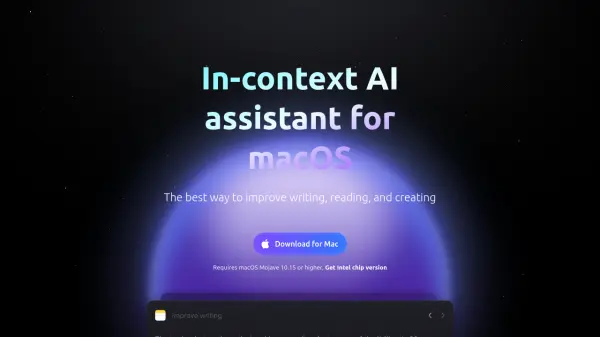
Haye AI is a system-level toolbar application for macOS designed to enhance your writing, reading, and creative processes. Activated via a simple shortcut (Command + E), it provides in-context assistance without disrupting your workflow. It functions seamlessly across any application where text can be selected.
The tool leverages AI to offer capabilities such as text summarization, editing and optimization, language translation, and intelligent search. Haye AI is built to be extremely lightweight, offering convenient help without the need for the user to switch between multiple platforms.
Features
- Improve writing: Make shorter, change tone, fix spelling & grammar, and simplify language.
- Summarization: Condense selected text into concise summaries.
- Editing Optimization: Refine and enhance selected text for clarity and impact.
- Translation: Translate selected text between languages.
- Search: Perform intelligent searches related to selected text.
- Function call capability: Allows maximum use of all the Haye AI features.
Use Cases
- Improving email writing by fixing typos and grammar.
- Understanding complex texts by simplifying language.
- Creating engaging copy by adjusting tone and style.
- Organizing knowledge fragments from selected texts.
- Translating text for cross-lingual communication.
FAQs
-
How does it work?
You can download the application from the Apple Store or the official website, and then install it on your macOS. After registration, use the shortcut keys “Command + E” to call up the application, including when selecting a text. -
What models are supported?
The standard version provides GPT 4o-mini. For Pro users, more advanced models with enhanced capabilities such as GPT4.0, GTP-4o-mini, Claude-3.5-sonnet are available. -
What information does Haye collect?
Haye prioritizes personal privacy and does not have the authority to access any data generated by users. However, some software usage logs are collect to ensure better updates and bug fixes. -
What's the refund policy?
The refund strategy is implemented according to the payment channels, such as the Apple Store refund method. -
How to request a refund?
According to Haye's service agreement, we provide refund services for you. You can refer to our service agreement for detailed requirements. If you meet the refund conditions, please notify us by email following the prescribed process.