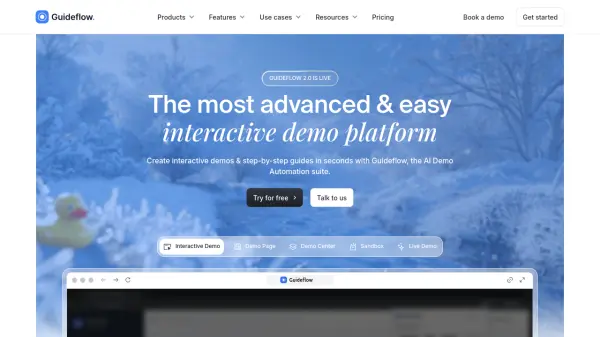
What is Guideflow?
Guideflow is an advanced platform designed to create AI-powered interactive product demos and guides for websites and applications. Tailored for sales, marketing, support, and training teams, the platform uses intelligent capture and customization tools to build step-by-step visual guides in seconds. Users can record workflows, personalize demos for their target audiences, and gain insights through robust analytics on demo engagement and conversion performance.
The platform provides seamless integrations with major business tools and offers diverse sharing options for broader reach—embed demos on websites, emails, knowledge bases, or social channels. With enterprise-grade security, dedicated onboarding, and real-time analytics, Guideflow enables organizations to drive product adoption, reduce support tickets, and improve sales outcomes efficiently.
Features
- Smart Capture: Instantly records user workflows on websites and apps.
- Plug & Play Editor: Allows advanced, no-code customization of guides and demos.
- Personalization: Enables tailored demos for specific leads with editable text, images, and branding.
- Seamless Sharing: Share via public links, embed on sites, emails, or social media.
- Advanced Analytics: Real-time tracking for impressions, completion rates, conversions, and leads.
- Enterprise Integrations: Connects with CRMs, analytics, communication tools, and more.
- Role-Based Collaboration: Supports teams with advanced role and workspace management.
- Security & Compliance: Offers enterprise-grade data security and compliance features.
- Lead Capture: Includes customizable lead forms within interactive demos.
- Rich Media Capabilities: Supports GIF/video export, chapter popups, custom images, and graphs.
Use Cases
- Showcasing software features to potential clients through interactive product demos.
- Embedding guided product tours in marketing campaigns to increase lead conversion.
- Onboarding new employees or customers with step-by-step training guides.
- Providing self-service tutorials to reduce customer support tickets and increase satisfaction.
- Demonstrating product updates or new features to users.
- Enabling partners and affiliates to better understand and promote your product.
- Gathering analytics on user engagement with demos to optimize sales strategies.
FAQs
-
What is an interactive demo or a guideflow?
An interactive demo or guideflow is a guided product walkthrough that can be shared via link or embedded across digital channels, allowing users to experience and learn about your software with step-by-step interactivity. -
How do I get started?
Sign up for a Guideflow account; once registered, you can immediately begin creating interactive demos or guides with intuitive tools and available support resources. -
What's included in the free plan?
The free plan allows creation of up to 5 guideflows, screenshot-based capture, unlimited views, 7-days analytics, and up to three team members in your workspace. -
Can I remove Guideflow’s watermark from interactive demos?
Yes, watermark removal is available starting from the Pro plan, allowing you to personalize demos with your own branding. -
Do you offer integrations with other platforms?
Guideflow integrates with a wide range of platforms including CRMs, analytics tools, communication suites, and more. Visit their integrations page for details.