What is Guidejar?
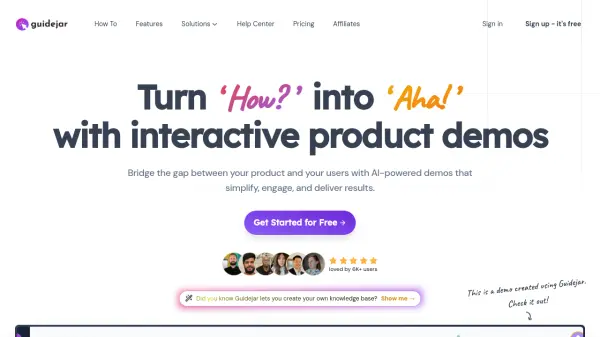
Guidejar empowers businesses to bridge the gap between their product and users. It offers AI-powered tools to create engaging and interactive product demos. It also allows conversion of any process into clear, step-by-step guides. Guidejar is designed to simplify complex information, enhance user understanding, and ultimately improve product adoption.
The platform emphasizes ease of use, allowing users to record, customize, and share guides quickly. Features like AI translation and voiceovers broaden accessibility, while analytics provide insights into user engagement. Guidejar is designed to enhance the user experience making it more approachable.
Features
- Guide Formats: Present content as step-by-step guides, interactive demos, or video demos.
- AI Translate: Translate guides into multiple languages with a single click.
- AI Voiceover: Create professional voiceovers for product demos in seconds.
- Chapters: Organize demos into logical sections.
- Conditional Branching: Create interactive guides with multiple paths.
- Dynamic Variables: Personalize guides with dynamic variables.
- Access Control: Restrict access to certain users or team members.
- Help Center Widget: Embed your help center as a widget inside your website.
- Analytics: Track views, completion rates, and user feedback.
- Embed Anywhere: Embed guides on any website.
Use Cases
- Creating interactive product demos for software applications.
- Developing step-by-step guides for onboarding new users.
- Building a comprehensive knowledge base for customer support.
- Creating training materials for employees.
- Generating tutorials for complex processes.
- Producing marketing materials to showcase product features.
FAQs
-
What is an interactive product demo?
An interactive product demo is a walkthrough of a software application that allows users to engage with the product in a hands-on manner. Unlike traditional video demos, interactive demos enable users to click, explore, and interact with the product in real-time, providing a more engaging and personalized experience. -
How can I share my guides with others?
You can easily share your guides with others by generating shareable links within Guidejar, or by embedding the guides directly onto any website or platform like Notion, Webflow, Wordpress, Shopify etc. -
Is there a limit on the number of guides I can create?
You can create upto 5 guides on the free plan. Once you upgrade to any of our premium plans, there is no limit on the number of guides you can create. -
Are the guides SEO-friendly?
Yes, our guides are designed to be SEO-friendly, allowing search engines to index and discover your content. Although, you can disable indexing if you do not want your guides to appear in search results. -
Is the browser extension compatible with all major browsers?
Our browser extension is designed to be compatible with all chromium browsers like Google Chrome, Brave and Microsoft Edge. We also have a desktop app for Windows and Mac that you can use to record demos for desktop applications.