What is Grok Automation?
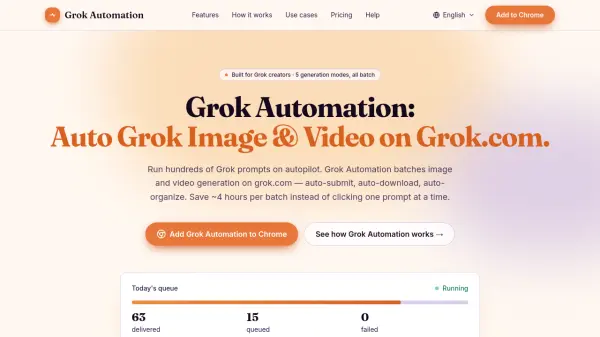
Grok Automation is an independent browser extension designed for Grok users who need to generate images and videos at scale. It transforms the manual single-prompt workflow on grok.com into a batch-processing engine. Users paste a list of prompts, select a generation mode, and the extension automatically submits them, handles retries, upscles results, downloads files, and organizes them into project folders — all without user supervision.
The extension supports all five Grok generation modes: Text-to-Image, Text-to-Video, Frame-to-Video, Ingredients-to-Video, and Image-to-Image. It can run up to six prompts concurrently, paces submissions to respect Grok's rate limits, and automatically pauses and resumes queues. Outputs are sorted by media type and aspect ratio, with filenames that match Character references for consistency. Grok Automation is free to install with optional paid plans for larger batches.
Features
- Auto Grok prompts: Continuously submits prompts on grok.com without manual clicking.
- Batch 100+ prompts per run: Queue dozens or hundreds of prompts in a single run.
- All 5 Grok generation modes: Text-to-Image, Text-to-Video, Frame-to-Video, Ingredients-to-Video, and Image-to-Image.
- Image-to-Image transforms: Restyle reference images at batch scale.
- Text-to-Image with 5 aspect ratios: 16:9, 9:16, 1:1, 2:3, and 3:2.
- Text-to-Video with Concat mode: Chain clips into longer sequences.
- Auto-upscale & auto-download: Results are upscaled and saved automatically.
- Project folders + Character auto-match: Outputs sorted by media type and ratio with consistent filenames.
- 1–6 concurrent prompts: Run multiple prompts in parallel with pacing.
- Smart delays for long queues: Auto-pauses, persists, and resumes when quota returns.
Use Cases
- YouTube creators generating dozens of thumbnail variations in 16:9.
- Short-form video makers batch-producing hook variants in 9:16 with Concat mode.
- Indie game developers building 200-asset concept libraries across all ratios.
- Marketing teams creating 40 ad variations for A/B testing across platforms.
FAQs
-
How is Grok Automation different from Grok Tasks?
Grok Tasks is xAI's built-in feature for scheduling chat jobs on a timer. Grok Automation batches image and video generation on the grok.com UI itself, queuing hundreds of prompts in parallel. Most creators use both. -
What happens when Grok rate-limits me mid-batch?
Grok Automation detects the rate limit, pauses the queue, persists progress to local storage, and resumes when quota returns. You can close the tab and the queue is waiting when you come back. -
Is Grok Automation affiliated with xAI?
No. Grok Automation is an independent browser extension — not affiliated with, endorsed by, or sponsored by xAI Corp. Grok is a trademark of xAI Corp. -
Does Grok Automation work with Grok 4, Grok Heavy, and Grok Imagine?
Yes. The extension drives whatever model is available in your grok.com session and adapts throughput automatically via the Smart Delay System. -
Which browsers are supported?
Chrome is supported. Edge is on the roadmap. It generally works on Brave, Arc, and Vivaldi, though not formally supported.