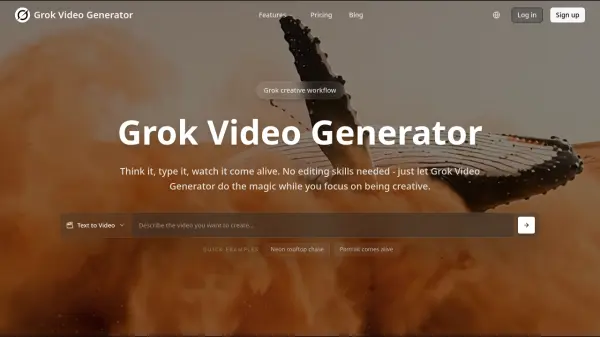
What is Grok Video Generator?
Grok Video Generator leverages the Aurora AI engine to transform creative ideas into professional videos with synchronized audio. The platform eliminates the need for manual video editing or audio production by automatically generating matching sound effects, background music, and ambient sounds that complement the visual content. Users can create videos from text prompts or animate static images with realistic movement and appropriate audio.
The platform offers multiple resolution options from 480p to 1080p with various aspect ratios (16:9, 9:16, and 1:1) to suit different social media platforms and content requirements. Advanced camera controls allow users to fine-tune motion dynamics, select between fixed or dynamic camera movements, and adjust frame rates for cinematic results. Fast processing speeds enable quick turnaround times, making the tool ideal for content creators who need to produce videos efficiently without technical expertise.
Features
- Text to Video with Audio: Generate videos from text descriptions with automatic sound effects, music, and audio synchronization
- Image Animation: Transform static photos and images into dynamic videos with realistic movement and appropriate sounds
- Multiple Resolution Options: Create videos in quality settings from 480p to 1080p with aspect ratios including 16:9, 9:16, and 1:1
- Advanced Camera Controls: Fine-tune video generation with precise camera settings, motion dynamics, and frame rate adjustments
- Automatic Audio Generation: Every video includes perfectly matched ambient sounds, background music, and sound effects without manual editing
- Aurora AI Engine: Powered by xAI's cutting-edge technology for text-to-video creation with synchronized audio
- Fast Processing Speed: Quick video generation with optimized AI processing delivering results in minutes
- Spicy Content Mode: Advanced content generation setting for more creative freedom and diverse artistic styles
Use Cases
- Creating social media content with automatic audio for viral marketing campaigns
- Animating product images for e-commerce presentations and advertisements
- Generating promotional videos for businesses without video editing skills
- Producing educational content with synchronized audio from text descriptions
- Creating video content for various aspect ratios across different social media platforms
- Transforming blog posts or written content into engaging video formats
- Developing quick video prototypes for marketing concepts and pitches
- Generating background videos with appropriate soundscapes for presentations
How It Works
Enter Your Description
Type a text description of the video you want to create or upload a static image that you want to animate.
Choose Settings
Select your preferred resolution, aspect ratio, camera controls, and motion dynamics to customize your video output.
Generate Video
Let the Aurora AI engine process your input and automatically generate the video with synchronized audio, sound effects, and background music.
Download and Share
Review your completed video and download it for use across various platforms with full commercial usage rights.
FAQs
-
What is Grok Video Generator?
Grok Video Generator is an advanced AI video generator powered by Grok Imagine that creates videos with audio from text descriptions or turns static images into animated video clips. It automatically adds matching sounds, music, and effects to make complete videos ready for sharing. -
What is the Aurora AI engine?
Aurora is the advanced AI engine developed by xAI that powers Grok Video Generator's video and image generation capabilities. It enables text-to-video creation with synchronized audio, delivering high-quality, realistic content generation. -
What is the 'Spicy' content mode?
The 'Spicy' mode is an advanced content generation setting in Grok Video Generator that allows for more creative freedom and diverse artistic styles. This mode enables users to create more expressive and varied content while maintaining appropriate content guidelines and responsible AI usage. -
How do credits work?
Credits are used to generate videos on Grok Video Generator. Different subscription plans offer varying amounts of credits: Basic plan includes 300 credits, Standard plan offers 1800 credits, and Premium plan provides 6000 credits per month. -
Can I use videos for business?
Yes, all subscription plans include commercial license rights, allowing you to use the generated videos for business purposes and commercial applications.