
What is Grammarlookup?
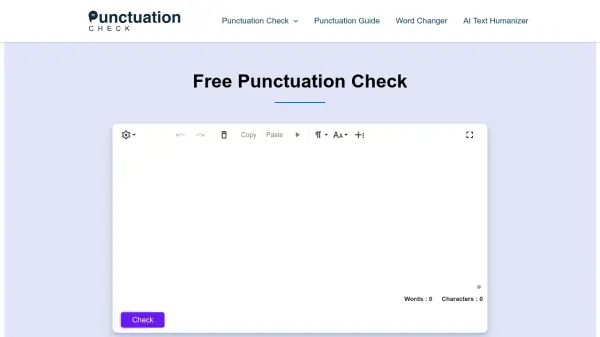
Grammarlookup addresses the common challenge of punctuation errors in writing. Mistakes like misplaced periods, incorrect comma usage, or misused apostrophes can lead to confusion and misinterpretation. This tool utilizes artificial intelligence to scan text in real-time, understand the context of sentences, and identify various punctuation issues including those related to periods, question marks, apostrophes, commas, colons, semicolons, exclamation points, hyphens, dashes, slashes, ellipses, and quotation marks.
The platform offers a user-friendly experience where users can simply paste or type their text into the editor. Potential errors are highlighted, and context-aware suggestions for correction are provided. Users can accept these suggestions with a single click. Notably, the tool supports multiple English dialects, such as American, British, and Australian English, ensuring accurate checking regardless of regional variations. It operates entirely free of charge, without requiring user registration or sign-up.
Features
- AI-Powered Punctuation Correction: Instantly identifies and suggests corrections for punctuation errors based on context.
- Real-time Scanning: Checks text for errors as it is typed or pasted into the editor.
- Multi-Dialect Support: Accommodates punctuation rules for American, British, Australian, and other English variants.
- Comprehensive Grammar Checking: Addresses various grammatical errors beyond punctuation, including spelling.
- User-Friendly Interface: Simple copy-paste or type mechanism with one-click corrections.
- Additional Writing Tools: Includes Sentence Corrector, Passive Voice Checker, Run-on Sentence Checker, Comma Checker, Essay Checker, AI Poem Generator, Conclusion Generator/Summary Writer, and Figurative Language Checker.
Use Cases
- Correcting punctuation in emails and professional documents.
- Proofreading academic essays and research papers.
- Improving the clarity and readability of blog posts and web content.
- Ensuring grammatical accuracy for writers targeting diverse audiences.
- Assisting students and learners in improving their punctuation skills.
- Quickly editing text for grammatical and punctuation accuracy before submission or publication.
FAQs
-
How can I check if my punctuation is correct?
Use GrammarLookup’s free punctuation checker by pasting or typing text into the box and clicking ‘check’ to identify and correct all punctuation mistakes. -
What are the common punctuation marks?
Common and important punctuation marks include commas, colons, semicolons, apostrophes, question marks, periods, parentheses and brackets, dashes, hyphens, quotation marks, ellipses, and exclamation marks. -
Do I need punctuation?
Yes, proper punctuation is crucial as it makes your writing clear, easy to understand, and leaves a positive impression on readers such as clients, professors, or colleagues. -
How to use commas correctly?
Commas are used between items in a list, before coordinating conjunctions (like but, or, and, nor, for, so, yet) in compound sentences, following introductory phrases, and to separate nonessential information. -
How do I improve my punctuation?
Improve your punctuation by learning the rules and practicing them consistently in all your writing. Additionally, using a tool like GrammarLookup's free punctuation checker can help you identify recurring errors and learn from them.