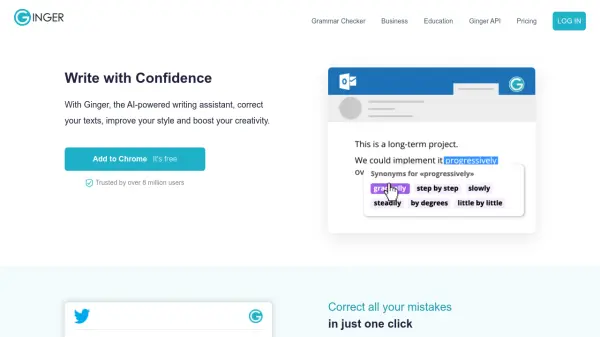
What is Ginger?
Ginger is a sophisticated AI-powered writing assistant that offers comprehensive text correction and enhancement capabilities. The platform goes beyond basic spelling and grammar checks by analyzing full sentences to provide context-based corrections, significantly improving writing efficiency for both short and long-form content.
The tool integrates seamlessly across various platforms including browsers, desktop applications, and mobile devices, enabling users to maintain consistent writing quality whether they're composing emails, social media posts, or professional documents. With features like smart rephrasing and AI-based synonym suggestions, it helps users enhance their writing style and creativity while maintaining accuracy.
Features
- Context-based Grammar Correction: Analyzes full sentences for accurate corrections
- Smart Rephrasing: AI-powered sentence restructuring for better clarity
- Cross-platform Integration: Works across websites, tools, and devices
- AI-based Synonyms: Provides contextual word alternatives
- Multi-device Support: Available on desktop, mobile, and browser extensions
- Personal Writing Trainer: Helps improve English writing skills
- Translation Services: Enables multi-language communication
- Real-time Proofreading: Instant corrections while typing
Use Cases
- Email composition and proofreading
- Academic essay writing
- Professional document creation
- Social media content writing
- Business communication
- Educational writing assistance
- Content creation for websites
- Personal correspondence
FAQs
-
What platforms is Ginger available on?
Ginger is available as a browser extension (Chrome, Edge), desktop app (Windows, Mac), mobile app (iOS, Android), and Microsoft Word add-in. -
How is Ginger different from regular spell checkers?
Ginger uses AI to analyze full sentences for context-based corrections, making it 5x more effective than traditional spell checkers like Microsoft Word. -
Can Ginger work offline?
Ginger offers desktop applications for Windows and Mac that allow you to correct text from any application with one click.