Typeright favicon

Typeright
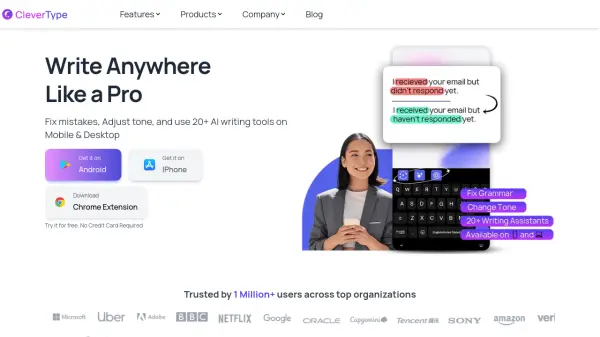
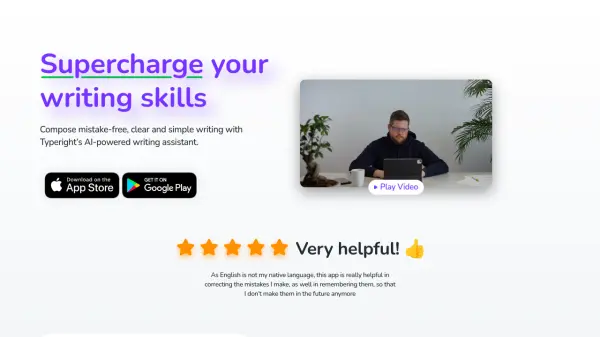
Compose mistake-free, clear and simple writing with Typeright’s AI-powered writing assistant.

What is Typeright?

Typeright offers comprehensive writing assistance powered by AI. It helps users improve their writing by identifying and correcting simple spelling and punctuation errors, addressing missing words, and offering style suggestions for enhanced clarity.

The tool also provides synonyms to enrich vocabulary and features predictive typing to speed up the writing process. This AI assistant supports multiple languages, including English, German, and Spanish, ensuring versatile application for a diverse user base. It is accessible across various devices, including iOS and Android, enabling users to correct and refine their text wherever they write.

Features

  • AI-Powered Writing Assistance: Corrects grammar, spelling, and punctuation.
  • Style Suggestions: Provides recommendations for clearer and more effective writing.
  • Synonym Finder: Offers alternative word choices to enhance vocabulary.
  • Predictive Typing: Speeds up the writing process with intelligent suggestions.
  • Multi-language Support: Functions in English, German, and Spanish.
  • Cross-Device Availability: Usable on iOS and Android devices.

Use Cases

  • Correcting grammatical errors in emails and documents.
  • Improving writing style for reports and articles.
  • Finding synonyms to avoid repetitive language.
  • Speeding up writing with predictive text suggestions.
  • Writing accurately in English, German, or Spanish as a non-native speaker.
  • Ensuring punctuation and spelling are correct before publishing content.

Related Tools:

Blogs:

  • Top 6 AI note-taking tools for 2026: in-person, online, and hybrid use cases

    Top 6 AI note-taking tools for 2026: in-person, online, and hybrid use cases

    Most AI note-taking lists are really lists of meeting bots, which join your video call and transcribe it. That's useful, but it's half the picture. Decisions happen in hallway conversations, client dinners, on-site visits, and hybrid rooms where nobody is on a video link. This guide covers different parts of the note-taking workflow: hardware capture for in-person settings, platform-native tools for online calls, and AI layers for organizing and synthesizing what you've captured. It compares six tools by capture context, workflow fit, pricing, and limitations.

  • Ghibli Art Generator AI tools

    Ghibli Art Generator AI tools

    List of the best AI tools to turn your photos into images that look like Studio Ghibli movies. Easy to use and fun for everyone.

  • AI tools for video voice overs

    AI tools for video voice overs

    Discover the next level of video production with AI-powered voiceover tools. Enhance your content effortlessly, ensuring professional-quality narration for your videos.

  • Best AI Tools For Startups

    Best AI Tools For Startups

    we've compiled a straightforward list of user-friendly AI tools designed to give startups a boost. Discover practical solutions to streamline everyday tasks, enhance productivity, and gain valuable insights without the need for a tech expert. Learn where and how these tools can be applied in your startup journey, from automating repetitive tasks to unlocking powerful data analysis. Join us as we explore the features that make these AI tools accessible and beneficial for startups in various industries. Elevate your business with technology that works for you!

Didn't find tool you were looking for?

Be as detailed as possible for better results