Genius Sheets favicon

Genius Sheets
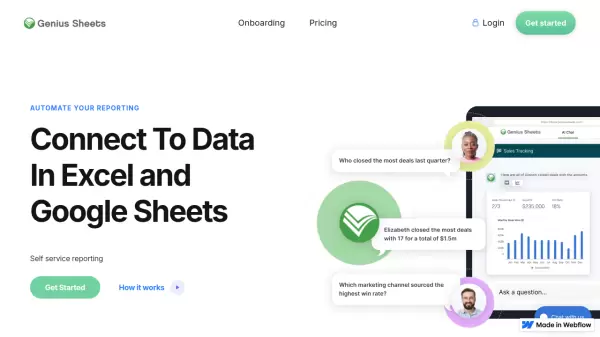
Connect To Data In Excel and Google Sheets with Self-service Reporting

What is Genius Sheets?

Genius Sheets revolutionizes data analysis by providing a conversational AI interface that allows users to interact with their data as if they were talking to a coworker. The platform seamlessly integrates with Excel and Google Sheets, offering enterprise-grade security while maintaining accessibility for users without technical expertise.

Through its native interface, users can access their data via WebApp, Slack, or Teams, enabling consolidated reporting and custom formula implementations. The platform streamlines data analysis processes, significantly reducing dependency on technical teams while maintaining robust security standards.

Features

  • Conversational AI Interface: Natural language interaction with data
  • Native Integration: Compatible with Excel, Google Sheets, Slack, and Teams
  • Self-service Reporting: Independent data analysis without technical expertise
  • Enterprise Security: Advanced security standards for data protection
  • Custom Formula Support: Flexible data connection capabilities
  • No-Code Platform: Operation without SQL or Python knowledge

Use Cases

  • Sales data analysis
  • Financial reporting
  • Business intelligence
  • Revenue operations
  • Data consolidation
  • Team collaboration
  • Enterprise reporting

FAQs

  • What data sources can I connect to with Genius Sheets?
    Genius Sheets integrates with QuickBooks Online and offers custom integrations for enterprise users, allowing connection to major data sources.
  • How many queries per month are allowed?
    The Starter plan includes 20 queries per month, while Business and Enterprise plans offer unlimited queries.

Related Queries

Helpful for people in the following professions

Related Tools:

Blogs:

  • Top 6 AI note-taking tools for 2026: in-person, online, and hybrid use cases

    Top 6 AI note-taking tools for 2026: in-person, online, and hybrid use cases

    Most AI note-taking lists are really lists of meeting bots, which join your video call and transcribe it. That's useful, but it's half the picture. Decisions happen in hallway conversations, client dinners, on-site visits, and hybrid rooms where nobody is on a video link. This guide covers different parts of the note-taking workflow: hardware capture for in-person settings, platform-native tools for online calls, and AI layers for organizing and synthesizing what you've captured. It compares six tools by capture context, workflow fit, pricing, and limitations.

  • AI tools for video voice overs

    AI tools for video voice overs

    Discover the next level of video production with AI-powered voiceover tools. Enhance your content effortlessly, ensuring professional-quality narration for your videos.

  • Best ai tools for Twitter Growth

    Best ai tools for Twitter Growth

    The best AI tools for Twitter's growth are designed to enhance user engagement, increase followers, and optimize content strategy on the platform. These tools utilize artificial intelligence algorithms to analyze Twitter trends, identify relevant hashtags, suggest optimal posting times, and even curate personalized content.

Didn't find tool you were looking for?

Be as detailed as possible for better results