What is Function Tracker?
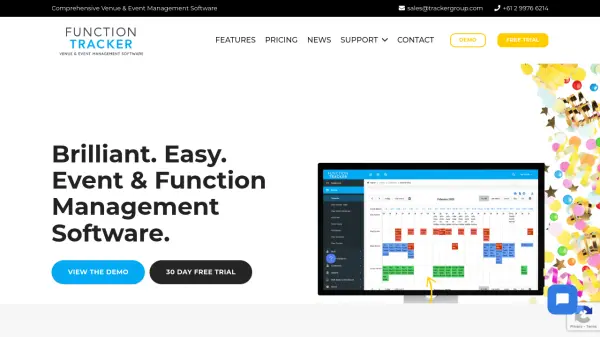
Function Tracker offers a fully-featured, web-based platform for managing all aspects of venue and event operations. Designed for ease of use, the software assists users in handling bookings, room and event scheduling, menu planning, contracts, invoicing, staffing, and customer management through an intuitive, calendar-based interface. The platform supports seamless integration with popular business and accounting tools, including Google Calendar, Xero, MYOB, and Mailchimp, ensuring data consistency and workflow automation.
Ideal for restaurants, clubs, conference centers, hotels, and educational venues, Function Tracker also features a dedicated customer portal for direct interaction, guest management, and communication. Its cloud-based flexibility, lack of locked-in contracts, and customizable modules make it suitable for venues of all sizes seeking to optimize efficiency and enhance their event management capabilities.
Features
- Easy To Use: Simple interface designed for intuitive use by staff at all levels.
- Comprehensive Event Management: Manage events, enquiries, documents, contracts, menus, invoices, and reports.
- Customer Portal: Direct client access to update event details, select catering and equipment, and communicate with event managers.
- Seamless Integrations: Connects with accounting, calendar, payment, and booking software such as Xero, MYOB, Stripe, PayPal, and Google Calendar.
- Unlimited Users and Events: No cap on users, customers, or event entries across all plans.
- Flexible Pricing: Scalable subscription plans based on venue size, with no hidden fees.
- Customizable Setup: Adaptable configuration to suit any type of event-based venue.
- Full Support and Training: Dedicated onboarding help and ongoing customer support.
Use Cases
- Venue managers streamlining booking, invoicing, and staff coordination.
- Event planners overseeing multiple functions and real-time client communications.
- Restaurants and bars managing private events and customer registrations.
- Conference centers tracking room reservations, catering, and reporting.
- Schools and universities handling event schedules and equipment needs.
- Clubs and sporting venues organizing tournaments or social events.
- Hospitality groups overseeing multiple sites with centralized management.
FAQs
-
What types of venues can use Function Tracker?
Function Tracker is suitable for any venue that hosts events, including conference centers, hotels, clubs, restaurants, bars, schools, universities, and sporting venues. -
Does Function Tracker offer third-party integrations?
Yes, Function Tracker integrates with various business software including accounting tools, calendar applications, payment gateways, and marketing platforms. -
Is there a limit on the number of events or users?
All Function Tracker plans allow unlimited users, events, customers, and invoices. -
What customer support is available?
Function Tracker provides setup assistance, training, and ongoing customer support to all subscribers. -
Does Function Tracker have a free trial?
Yes, a 30-day free trial is available for all users.