What is HUUEVENT?
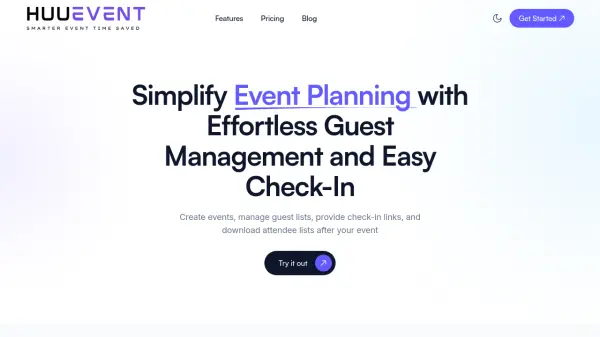
HUUEVENT is an event management platform designed to simplify the entire event planning process. It provides tools for creating events, managing guest lists, and facilitating seamless check-ins through secure links. The platform allows organizers to upload guest lists from Excel files and generate customizable check-in links for staff, enabling real-time status updates during events.
After events, HUUEVENT offers downloadable attendance reports in CSV format for data analysis. The platform includes a centralized dashboard for tracking event progress and managing multiple events efficiently. It supports various event types, from small workshops to large conferences, with features like flexible staff access and professional reporting capabilities.
Features
- Quick Event Setup: Create events and add guest lists in minutes with an intuitive interface
- Simple Guest Check-In: Generate secure check-in links for staff to update guest statuses easily
- Downloadable Attendance Reports: Export full check-in lists in CSV format after events for data review
- Effortless Guest List Upload: Upload guest lists directly from Excel files for faster event setup
- Flexible Staff Access: Empower teams with customizable check-in links for delegated check-in tasks
- Centralized Event Dashboard: Manage all events from one place with calendar view and status tracking
Use Cases
- Managing corporate conferences and workshops
- Organizing hybrid events with both in-person and virtual components
- Streamlining check-in processes for large-scale conferences
- Tracking attendance for educational seminars and training sessions
- Managing guest lists for networking events and social gatherings
- Generating post-event reports for performance analysis
FAQs
-
What types of events can I manage with HUUEVENT?
HUUEVENT is perfect for managing a variety of events, from small workshops and conferences to large corporate functions. Our platform supports both in-person and hybrid events, making it versatile for different event types. -
Can I customize the check-in process for my event?
Yes, absolutely! You can easily generate custom check-in links for your staff. This allows them to update guest statuses without any hassle. For Business and Enterprise users, additional customization options like branding and badges are available. -
How does the guest check-in process work?
Simply upload your guest list, and generate personalized check-in links for your staff. During the event, staff can click on the link to easily update guest statuses, such as 'Checked In' or 'Confirmed'. No QR code scanning required. -
What happens if I exceed the guest limit in the Free plan?
On the Free plan, you can manage up to 100 guests per event. If you exceed this limit, you'll be prompted to upgrade to a paid plan, or you can contact us directly to discuss a solution that fits your needs. -
Can I download attendance reports after my event?
Yes! After your event, you can easily export attendance reports in CSV format. This feature is available across all plans, allowing you to review event performance and guest data.