What is Frame.io?
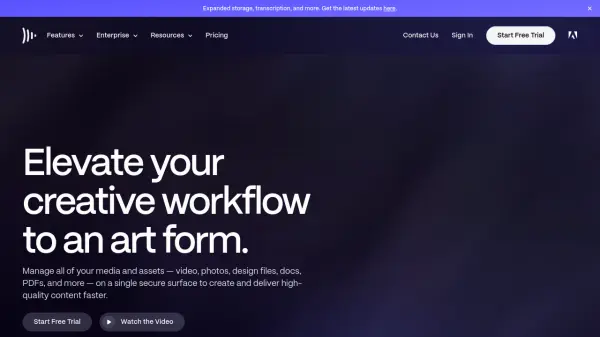
Frame.io offers a centralized platform to manage a wide range of media assets, including videos, photos, design files, documents, and PDFs. It enables teams to organize content effectively using flexible metadata, tags, sorting, and grouping options based on criteria like assignee, due date, and status. This streamlined approach helps eliminate communication silos by connecting assets to specific roles throughout the project lifecycle, from initial planning to final delivery, ensuring everyone stays connected and informed.
The platform provides robust tools for review and approval processes, allowing users to give precise, frame-accurate feedback directly on assets. Consolidated comments follow the work, simplifying communication and reducing revision cycles. Frame.io integrates seamlessly with tools like Adobe Premiere Pro, allowing editors to receive notes within their workspace. Secure sharing and presentation features enable users to showcase work professionally with customizable branding and controlled permissions, deciding who can view, comment, or download assets.
Features
- Workflow Management: Organize projects, connect teams, and utilize templates to streamline creative processes.
- File Management: Upload, tag, sort, group, and easily navigate media assets with flexible metadata and nested folders.
- Review & Approvals: Provide frame-accurate feedback, consolidate comments, and integrate with editing software like Premiere Pro.
- Sharing & Presenting: Create custom-branded, secure presentations and control access permissions for viewing, commenting, and downloading.
- Camera to Cloud: Instantly upload footage from the set to the cloud for immediate team access.
- Integrations: Connects with Adobe Creative Cloud (Premiere Pro, After Effects), Final Cut Pro, and other tools.
- Security Features: Includes passphrase-protected shares, link expiration, secure sharing options, and session-based watermarking (Enterprise).
- Transcription (Beta): Automatically transcribes video content.
Use Cases
- Streamlining video production workflows from shoot to final edit.
- Managing photo assets for review and approval.
- Collaborating on marketing campaign materials across teams and clients.
- Centralizing media assets for agencies and brands.
- Facilitating remote collaboration for media and entertainment projects.
FAQs
-
How do monthly and annual pricing differ?
Monthly plans are charged each month. Annual plans offer a 13% discount and are charged upfront for the entire year. Both plans automatically renew until cancelled. -
How many users are included in Pro and Team plans?
The listed price is per user. The Pro plan supports up to 5 users, and the Team plan supports up to 15 users. Enterprise plans offer custom user limits. -
How does the free trial work?
A free trial requires contact and billing information but isn't charged during the trial period. Billing starts automatically (monthly or annually based on selection) when the trial ends unless cancelled beforehand. -
Do my external clients need to have an account to review assets?
No, you can share assets securely with external clients via Share links. They do not need a Frame.io account to view or comment. -
Can I upgrade my plan mid-cycle?
Yes, you can upgrade your plan at any time. You will be charged a pro-rated amount based on the cost difference and the remaining time in your current billing cycle.