What is Flowbase?
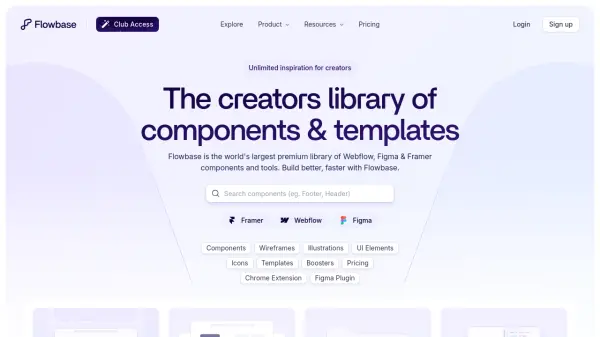
Flowbase serves as an extensive design resource library specifically tailored for modern web development platforms. It provides designers and developers with a vast collection of pre-built components, wireframes, illustrations, icons, and templates that can be seamlessly integrated into Webflow, Figma, and Framer projects. The platform enables users to copy components directly from the library and paste them into their preferred design or development environment, significantly reducing the time required for UI creation and implementation.
The service offers both free and premium membership tiers, with the premium subscription unlocking access to over 3,500 components, 1,000 wireframes, 1,000 illustrations, 15,000 icons, and various productivity tools. Flowbase also provides platform-specific plugins and extensions that allow users to access resources directly within their design tools, creating a streamlined workflow for building websites and digital products more efficiently.
Features
- Premium Components Library: Access to over 3,500 professionally designed UI components for Webflow, Figma, and Framer
- Platform Integration: Chrome extension, Figma plugin, and Framer plugin for direct access to resources within design tools
- Wireframe Collection: 1,000+ foundational wireframes for project planning and structure
- Illustration Library: 1,000+ vector-based illustrations for design projects
- Icon Collection: 15,000+ premium and open-source icons for interface design
- Template Access: Premium templates for Webflow, Framer, and Figma platforms
Use Cases
- Accelerating website development for designers and developers
- Creating client projects with pre-built professional components
- Finding design inspiration and layout ideas for UI projects
- Building wireframes and prototypes for digital products
- Accessing premium illustrations and icons for design work
- Streamlining workflow with platform-specific plugins and tools
FAQs
-
What platforms are supported by Flowbase components?
Flowbase components are compatible with Webflow, Figma, and Framer platforms, allowing seamless integration into projects built with these tools. -
Are there any limitations on component copying?
Monthly accounts are limited to 200 component copies per month, while yearly plans offer unlimited copying. Resets may be available upon review for monthly users who need additional copies. -
Can I use Flowbase with Safari browser?
No, the copy and paste functionality is not supported with Safari. Flowbase is accessible on Chrome, Firefox, and Edge browsers. -
How often are new components added to the library?
New components are added regularly with multiple components each month and larger releases every 3-4 months. Users can also submit component requests. -
What happens to my projects if I cancel my subscription?
Nothing happens to your existing projects. Flowbase is an on-demand service, so components you've already copied and used remain in your projects even after cancellation.