What is Firmwater LMS?
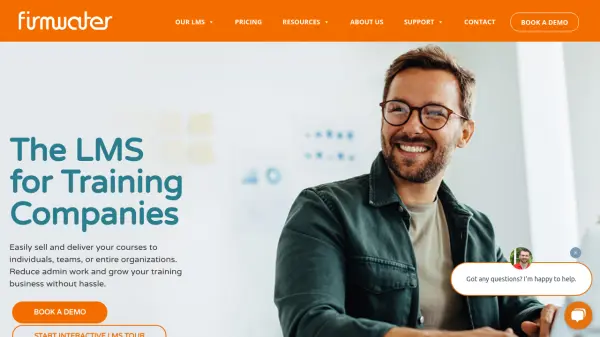
Firmwater LMS offers a comprehensive learning management system tailored for training companies and eLearning businesses. The platform allows users to create unlimited branded LMS sites through its multi-tenant architecture, catering to various client needs and distinct user groups.
With features such as advanced user management, complete content control, learner engagement tracking, and in-depth reporting and analytics, Firmwater LMS streamlines the process of selling and delivering courses. Integrated eCommerce capabilities via Shopify, SCORM compliance, and flexible group management options empower organizations to enhance efficiency and scale up their training operations with ease.
Features
- Multi-Tenant LMS: Build customized, branded LMS sites for each client or audience.
- User Management: Deliver unique learning experiences for every client and learner.
- Ecommerce Integration: Sell courses online via integration with Shopify.
- Content Management: Maintain control over course creation, assembly, and updates.
- Learner Engagement: Track learner progress, completions, and certifications.
- SCORM Compliance: Ensure compatibility with all modern eLearning standards.
- Reporting & Analytics: Measure training activity with detailed reports.
- Integrations: Seamlessly connect with third-party applications.
- Group and Client Site Features: Organize users by location, department, or job title; assign local administrators.
Use Cases
- Training companies delivering online courses to multiple clients or organizations.
- Businesses selling eLearning content to individuals or corporate clients.
- Organizations managing distinct custom learning portals for various audiences.
- Course providers seeking to automate sales and delivery processes.
- Firms requiring comprehensive tracking and reporting of learner activity.
- Companies needing scalable solutions for large volumes of learners.
FAQs
-
What is multi-tenant LMS architecture?
Multi-tenant LMS architecture allows organizations to create multiple, independent LMS sites that are branded and configured for different clients or audiences, all managed through a single interface. -
Does Firmwater LMS integrate with eCommerce platforms?
Yes, Firmwater LMS offers seamless integration with Shopify, enabling users to sell courses online efficiently. -
How is user pricing determined?
Firmwater LMS uses a course-start pricing model, where you pay only when a learner begins a course. There are options for customized pricing based on business needs. -
Is SCORM compliance supported?
Yes, Firmwater LMS is fully SCORM compliant, ensuring content can be delivered and accessed across compatible platforms and authoring tools. -
Are onboarding and support included?
Yes, onboarding includes one-on-one training with a Customer Success Manager, and ongoing support is available by phone and email.