
What is Expense Goose?
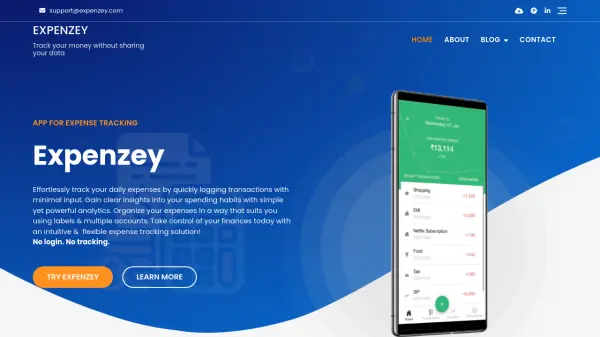
Expense Goose is an AI-driven expense tracking platform designed to simplify business financial management. It provides a clean dashboard for monitoring business performance, analyzing spending patterns, and making data-driven decisions. The tool automates transaction categorization and offers visual analytics with spending trends, enabling users to track expenses efficiently and gain insights into their financial health.
The platform features a one-click entry system for instant expense logging from any device, along with custom categories and templates. It includes budget monitoring with live alerts and supports seamless mobile use. With bank-level security and a user-friendly interface, Expense Goose helps businesses streamline expense tracking, reduce manual effort, and focus on growth.
Features
- Automated Transaction Categorization: AI automatically categorizes expenses for accurate tracking and reporting
- One-Click Expense Entry: Log expenses instantly from any device with a simple tap system
- Visual Analytics Dashboard: Monitor spending trends and business performance through interactive charts and graphs
- Budget Monitoring with Alerts: Set budgets and receive live notifications to stay on track financially
- Custom Categories and Templates: Create personalized expense categories and templates for streamlined logging
- Mobile Compatibility: Access and manage expenses seamlessly on mobile devices for on-the-go tracking
Use Cases
- Tracking business expenses for small businesses and entrepreneurs
- Monitoring spending patterns to identify cost-saving opportunities
- Managing budgets with real-time alerts to prevent overspending
- Automating expense categorization for accurate financial reporting
- Logging expenses quickly while traveling or on mobile devices
- Analyzing financial data to make informed business decisions
FAQs
-
Does Expense Goose track travel expenses?
Yes, Expense Goose can track travel expenses through its one-click entry system and custom categories, allowing users to log items like fuel refills or other travel-related costs efficiently. -
What is Expense Goose?
Expense Goose is an AI-powered expense tracking tool that helps businesses manage expenses with features like automated categorization, visual analytics, and budget monitoring. -
How much does it cost?
Expense Goose offers a lifetime access plan for $4.99 per year, providing advanced features, reports, and financial tools without monthly subscriptions. -
What are the benefits of using Expense Goose?
Benefits include simplified expense tracking, automated categorization, visual analytics, budget alerts, mobile compatibility, and one-click logging to save time and improve financial management. -
Do you have a paid version?
Yes, Expense Goose has a paid version with lifetime access for $4.99 per year, unlocking advanced features beyond the free basic services.