What is emdash?
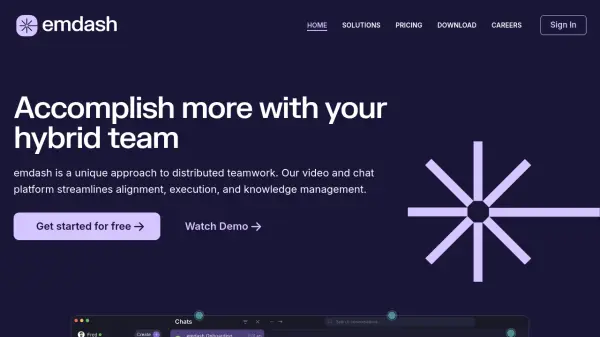
emdash offers a unified platform integrating video conferencing and chat functionalities to enhance collaboration for distributed and hybrid teams. It focuses on improving team alignment and execution by centralizing communication and knowledge management. The system organizes conversations, resources, and decisions into threaded discussions, making it simpler for team members to locate information and get up to speed on various topics across different time zones.
The platform incorporates AI to automatically generate summaries and transcripts for recorded meetings, ensuring crucial context is captured and easily accessible. This feature, combined with powerful search capabilities and an AI Assistant, allows users to quickly find key information and insights across chats and meetings, reducing the need to sift through multiple tools like Slack, email, or Zoom. emdash aims to minimize distractions through smarter notifications and an all-in-one workspace, promoting focused, deep work by keeping chat, meetings, and knowledge consolidated.
Features
- Threaded Discussions: Organize conversations, resources, and decisions by topic for easy information retrieval.
- Integrated Chat & Video: Seamlessly switch between chat and video meetings within the same platform.
- AI-Generated Summaries & Transcripts: Automatically summarize and transcribe recorded meetings.
- Powerful Search with Insights: Instantly locate key information across conversations with AI assistance.
- Unified Knowledge Management: Centralizes history and context from chat, meetings, and shared resources.
- Custom Access Controls: Manage information visibility for relevant team members.
- Smarter Notifications: Subscribe to important conversations and receive only relevant updates to minimize distractions.
Use Cases
- Improving communication and alignment within remote or hybrid teams.
- Centralizing team knowledge and reducing information silos.
- Making meetings more efficient with pre-meeting context and post-meeting summaries.
- Reducing context switching between different communication tools (chat, video, email).
- Facilitating asynchronous collaboration across different time zones.
- Enhancing focus and deep work by minimizing notification fatigue.