
What is Droppable?
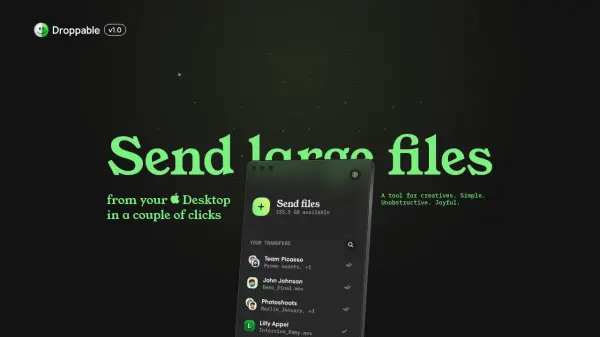
Droppable provides a streamlined solution for sending large files directly from the Desktop, eliminating the inefficiencies of traditional methods. It integrates with Apple and Google Contacts for easy recipient selection, allows users to add notes and set expiry dates for transfers, and stores files on Google Drive for flexible storage management.
The application features a messenger-style interface for clear transfer overview and history, offering a native macOS experience without browser tabs or memory bloat. It supports various file formats, including raw video and image files, documents, and presentations, with file size limits based on the user's Google One storage plan.
Features
- Native macOS Experience: Lightweight app without browser tabs or memory bloat, designed as an extension to macOS
- Messenger Interface: Clear overview and history of all transfers in a familiar messenger-style layout
- Contact Integration: Auto-complete recipient selection using Apple and Google Contacts stored locally
- Expiry Dates: Set transfer expiry periods from 1 day to 3 months for automatic file removal
- Google Drive Storage: Store files on Google Drive with size limits based on Google One storage plans
- One-time Payment: Pay $9.99 once for unlimited transfers and future updates, no subscription required
Use Cases
- Sending unedited photo collections to clients
- Transferring large video files for editing or review
- Sharing presentations with teams or groups
- Distributing documents to multiple recipients efficiently
- Managing file transfers with expiry dates for temporary sharing
FAQs
-
What is the file size limit for transfers?
The file size limit depends on your Google One storage plan, allowing storage and uploads up to 30TB. Users can increase their storage limit by selecting a suitable plan in their Google One account. -
Which file formats can be sent with Droppable?
Any files can be sent, including raw video and image formats, documents, and presentations. Folders cannot be attached; files are automatically zipped for hassle-free downloading. -
Can transfers be sent to multiple recipients at once?
Yes, on the 'New Transfer' screen, users can add as many recipients as desired by typing names, emails from contacts, or direct email addresses, similar to an email app. -
Is Droppable available on operating systems other than macOS?
Droppable is a native macOS application compatible only with macOS Ventura (13) and higher, designed as a lightweight extension to the macOS experience. -
Can I set passwords or see read receipts for transfers?
These features are not available in Droppable V1.0 but are planned for future version releases on the roadmap.