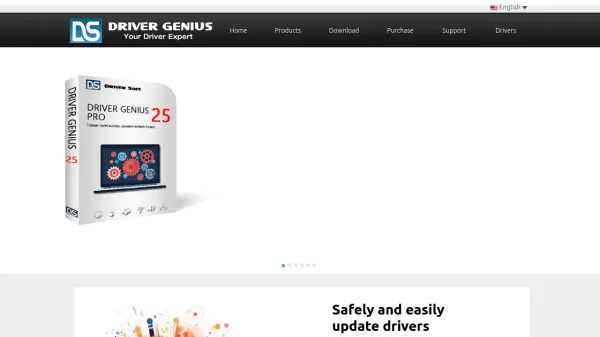
Driver Genius
Expert Driver Management with 20 Years of Experience

What is Driver Genius?

Driver Genius is a driver management software designed to maintain computer hardware performance through automated driver updates and maintenance. It scans systems for outdated or missing drivers across various hardware categories including graphics cards, sound cards, network cards, and mainboards, providing the latest updates to enhance stability and security.

The tool offers backup capabilities to save drivers as standalone installers for easy restoration after system reinstallation, along with cleanup functions to remove invalid drivers that may cause errors. Additional features include hardware temperature monitoring, display and sound issue fixes, and support for Windows 11 25H2 with light and dark UI options.

Features

  • Driver Update: Scans for outdated or missing drivers and provides latest updates for hardware devices
  • Driver Backup: Backs up drivers as standalone installers for one-click restoration after system reinstall
  • Driver Cleanup: Removes invalid drivers and hardware configuration data to prevent system errors
  • Hardware Protection: Monitors CPU, GPU, and hard disk temperatures in real time with alerts
  • Toolkit: Fixes display issues, sound problems, network issues, and offers offline driver updates

Use Cases

  • Updating outdated drivers to fix hardware malfunctions
  • Backing up drivers before system reinstallation
  • Cleaning up invalid drivers after hardware replacement
  • Monitoring hardware temperatures to prevent damage
  • Fixing display and sound issues caused by driver problems

Related Tools:

Blogs:

  • Boost Engagement in Ads with AI

    Boost Engagement in Ads with AI

    Discover how AI music and AI SDR agents are reshaping modern advertising. Learn how emotional resonance through AI-generated soundtracks combined with smart, automated sales outreach can turn viewers into loyal customers faster, cheaper, and more personally than ever before.

  • Top 6 AI note-taking tools for 2026: in-person, online, and hybrid use cases

    Top 6 AI note-taking tools for 2026: in-person, online, and hybrid use cases

    Most AI note-taking lists are really lists of meeting bots, which join your video call and transcribe it. That's useful, but it's half the picture. Decisions happen in hallway conversations, client dinners, on-site visits, and hybrid rooms where nobody is on a video link. This guide covers different parts of the note-taking workflow: hardware capture for in-person settings, platform-native tools for online calls, and AI layers for organizing and synthesizing what you've captured. It compares six tools by capture context, workflow fit, pricing, and limitations.

  • Chat with PDF AI Tools

    Chat with PDF AI Tools

    Easily interact with your PDF documents using our advanced AI-powered tool. Whether you're reading lengthy reports, research papers, contracts, or eBooks, our platform lets you chat directly with your PDF files, ask questions, extract insights, and get summaries in real-time.

Didn't find tool you were looking for?

Be as detailed as possible for better results