What is Dr.Explain?
Dr.Explain is an all-in-one help authoring tool designed for software teams to create, maintain, and publish user documentation. It enables the creation of online manuals, compiled help files (CHM), PDFs, Word documents, and more from a single project, ensuring consistency across formats. The tool automates routine tasks such as capturing screenshots, annotating them with callouts, and updating them after product releases. It runs locally and offers perpetual licensing, giving teams full control over their documentation without SaaS vendor lock-in. Key features include a convenient help editor, smart blocks, customizable templates, ready-made visual styles, import of existing documentation, multiformat export, and collaboration tools. Dr.Explain is suitable for technical writers, developers, business analysts, and support teams looking to streamline documentation workflows and reduce support requests.
Features
- UI Screen Capture & Auto-Annotation: Automatically capture application windows and annotate screenshots with callouts, reducing manual effort.
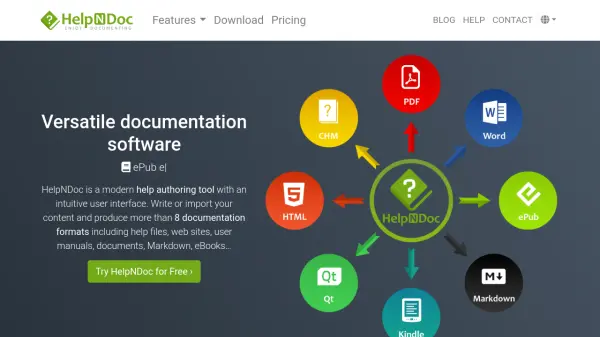
- Multi-Format Export: Publish documentation as web help, CHM, PDF, DOCX, and more from a single project.
- Smart Blocks & Templates: Use pre-built smart blocks and templates to quickly structure content and maintain consistency.
- Collaboration Tools: Enable team collaboration on documentation projects with multi-user editing and review features.
- Contextual Help Embedding: Embed context help into desktop or web applications so users can access relevant help directly.
- Visual Progress Tracking: Color-code project topics based on statuses to monitor progress at a glance.
- Live Project Preview: Preview sections in real-time without full export, speeding up the review process.
- Import Existing Documentation: Import content from Word, HTML, and other sources to migrate existing documentation.
Use Cases
- Creating user manuals for desktop and web applications.
- Producing online help systems for SaaS platforms.
- Developing compiled help files (CHM) for software distribution.
- Generating PDF guides for mobile apps or printed documentation.
- Building internal knowledge bases for IT departments.
- Automating documentation updates after new software releases.
- Training employees or clients with step-by-step instruction manuals.
- Reducing tech support tickets by providing comprehensive user guides.
FAQs
-
How is Dr.Explain different from AI-generated docs?
AI is great for a first draft, but Dr.Explain provides production-level help authoring with UI screen capture, structure, branded online help, CHM/in-product help, and updates after each release from one project. Many teams paste AI text into Dr.Explain and then make it shippable. -
Can Dr.Explain create CHM help files and online documentation?
Yes. Dr.Explain supports both web-based help and local help files (CHM) from a single project. It features built-in search, pre-built design templates, and one-click publishing to HTML, CHM, Word, and PDF. -
What technical documentation can I create with Dr.Explain?
You can create everything from simple user guides to complex knowledge bases, including user manuals, API documentation, internal knowledge bases, and software help systems. Features include rich text editing, content reuse, and multi-format publishing. -
Is it possible to create step-by-step instructions in Dr.Explain?
Yes. Dr.Explain allows you to create operational instructions with step-by-step explanations and illustrations, including embedded videos demonstrating actions like button presses or parameter settings. -
Can I save the user guide in different formats and share it?
Definitely. You can save your user guide in various formats such as web, CHM, PDF, and Word, and easily share it via website, intranet, messengers, email, or newsletters.