What is ClickHelp?
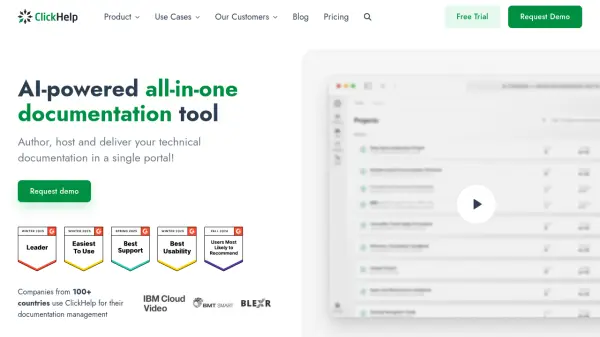
ClickHelp is a comprehensive online documentation platform designed to streamline the creation, management, and delivery of technical content. Leveraging AI capabilities, it empowers teams to collaboratively author and maintain software user guides, API documentation, knowledge bases, and training materials, all within a centralized portal. The tool supports flexible permission management, seamless content migration from multiple formats, and customizable user interfaces to enhance both the authoring and reading experiences.
With robust analytics, advanced content editing, and support for multi-version publishing, ClickHelp helps organizations improve documentation effectiveness and team productivity. Its infrastructure emphasizes security, reliability, and scalability, making it suitable for various enterprise documentation needs. Integrated translation management and external integrations further extend its versatility, making it a powerful solution for modern documentation workflows.
Features
- AI-Powered Documentation Authoring: Streamlines the creation and management of technical content using AI enhancements.
- Centralized Content Portal: Hosts all documentation types in a single, easily accessible online location.
- Advanced Collaboration Tools: Enables multi-department collaboration with flexible role and permission management.
- In-Depth Analytics and Reporting: Offers detailed insights into documentation usage and effectiveness.
- Easy Content Migration: Supports importing content from MS Word, OpenOffice, HTML, Web Help, and CHM.
- Flexible Permission Management: Provides secure access controls, Single Sign-On, and authentication options.
- Customizable Reader Interface: Allows interface configuration with UI templates and visual settings.
- Multi-Format Publishing: Supports publishing user guides, API docs, knowledge bases, and training materials.
- Translation Management: Facilitates localization workflows for multilingual documentation.
- Reliable Hosting and Backups: Ensures secure, high-performance hosting with automatic encrypted backups.
Use Cases
- Creating software user guides and manuals for product documentation
- Building comprehensive knowledge bases for customer and employee reference
- Producing detailed API documentation for developer enablement
- Facilitating onboarding with structured training documentation
- Developing and maintaining internal policies and procedures
- Designing online tutorials for end-user education
- Enabling collaboration between technical writers, developers, and subject matter experts
- Deflecting support cases with up-to-date, searchable self-service documentation
FAQs
-
What types of documentation can be created with ClickHelp?
ClickHelp supports the creation of software user guides, API documentation, knowledge bases, training materials, policies, procedures, and online tutorials. -
Can ClickHelp be used by multiple departments?
Yes, ClickHelp enables collaboration across teams, allowing involvement from technical writers, developers, marketers, and support specialists. -
Does ClickHelp offer content migration from other formats?
Yes, ClickHelp supports migrating existing documentation from formats such as MS Word, OpenOffice, HTML, Web Help, and CHM. -
Is there a free trial available for ClickHelp?
Yes, users can start a free trial to explore ClickHelp's features before committing to a subscription.