What is Downlink?
Downlink is a desktop application that delivers real-time satellite imagery directly to your computer background. It automatically updates with fresh images of Earth at intervals you select, either every 20 minutes or every hour, providing a dynamic view of sunlight and weather patterns as they move across the planet.
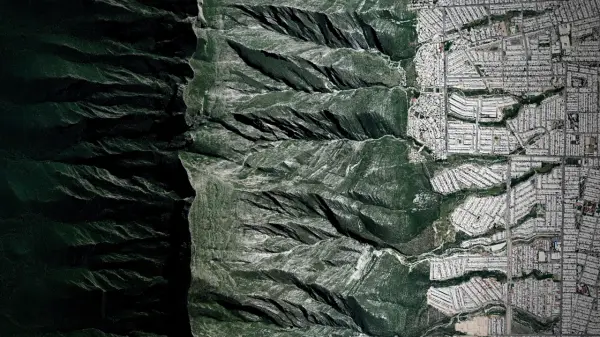
The tool offers multiple viewing options, including close-ups of the tropics, continental US views, and full disk images from geostationary satellites. Users can create custom views by zooming in on specific locations, selecting hemispheres, or choosing other beautiful areas. Downlink sources its imagery from satellites like GOES-16, GOES-17, and Himawari-8, with plans to add new sources as they become available.
Features
- Real-time Updates: Automatically refreshes desktop background with new satellite images every 20 minutes or hour
- Custom Views: Allows users to create personalized views by zooming in on specific locations or selecting hemispheres
- Multiple Sources: Offers imagery from different geostationary satellites including GOES-16, GOES-17, and Himawari-8
- Shuffle Mode: Randomly selects different views on each refresh interval for variety
- Multi-display Support: Enables different satellite sources to be selected for each connected display
Use Cases
- Monitoring weather patterns in real-time from your desktop
- Creating dynamic educational displays of Earth's geography
- Enhancing workspace aesthetics with live satellite imagery
- Tracking daylight changes across different regions throughout the day
- Visualizing global cloud cover and atmospheric conditions
FAQs
-
How often does Downlink update the satellite imagery on my desktop?
Downlink updates your desktop background with fresh satellite images either every 20 minutes or every hour, depending on your selected preference. -
Which satellites provide the imagery for Downlink?
Downlink sources imagery from geostationary satellites including GOES-16, GOES-17, and Himawari-8, with plans to add Himawari-9 in the future. -
Can I create custom views with Downlink?
Yes, Downlink allows you to create custom views by zooming in on specific locations, selecting your favorite hemisphere, or choosing other beautiful areas of Earth. -
Does Downlink support multiple displays?
Yes, Downlink supports multiple displays with the ability to select different satellite sources for each display or disable specific displays entirely. -
What data does Downlink collect from users?
Downlink does not collect or store any user data. It only downloads configuration files from its website and images from official sources like noaa.gov and rammb.cira.colostate.edu.