What is Docusnap?
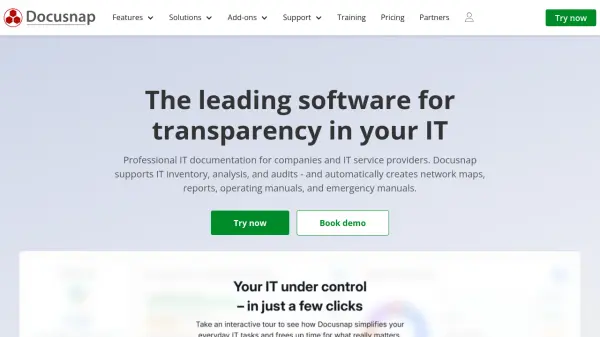
Docusnap provides automatic and regular inventory of your entire IT network, discovering unknown hardware and software assets. It uses standard protocols like WMI, SNMP, and SSH, eliminating the need for agents on target systems. All data is stored in an ITIL-compliant Configuration Management Database (CMDB) that can be extended and enriched with manual data.
The software outputs over 200 reports, plans, and diagrams, including network plans, topology diagrams, and audit reports. It offers analysis of IT security, dependencies, and licensing, helping to identify vulnerabilities and optimize costs. Customizable reporting and a multi-tenant capability make it suitable for IT service providers managing multiple client environments.
Features
- Agentless Inventory: Discovers and inventories systems using WMI, SNMP, and SSH without requiring agents.
- ITIL-compliant CMDB: Centralized configuration management database with ITIL compliance.
- Automatic Network Plans: Generates network diagrams, topology maps, and communication plans automatically.
- Over 200 Reports: Provides out-of-the-box reports for audits, licensing, security, and more.
- License Management: Tracks software licenses and identifies over- or under-licensing.
- Permission Analysis: Analyzes user access rights and permission inheritance.
- Customization: Customizes reports, plans, and user interface to match corporate identity.
- Multi-Tenancy: Supports IT service providers with separate documentation for multiple clients.
Use Cases
- Automatic IT documentation and inventory
- Network planning and visualization
- License compliance and optimization
- IT security audits and vulnerability identification
- Disaster recovery planning
- User permission auditing
- IT asset management
- Support for ISO 27001 and NIS-2 compliance
FAQs
-
How quickly can I start working productively with Docusnap?
After installation, you can start the first inventory immediately. Thanks to the wizard-guided setup, first results, including automatically generated network plans and reports, are typically available in under 30 minutes depending on network size. -
Do I need to install agents on target systems?
No. Docusnap works completely agentlessly and uses standard protocols such as WMI, SNMP, and SSH. This eliminates the need for rolling out and maintaining agents on your systems. -
Can I test Docusnap for free?
Yes. You can test Docusnap without obligation and free of charge, either as a download of the on-premises version or as a SaaS solution with Docusnap365. Alternatively, you can book a personal live demo. -
Which systems and technologies are inventoried?
Docusnap inventories Windows, Linux, macOS, HP-UX, VMware, Hyper-V, Active Directory, Microsoft 365, SNMP-capable devices, switches, printers, and much more. A complete overview is available on the inventory modules page. -
Is Docusnap suitable for IT service providers with multiple clients?
Yes. Docusnap supports multi-tenancy, allowing IT service providers to document and manage the environments of multiple clients separately, all within a single installation.