What is Disploy?
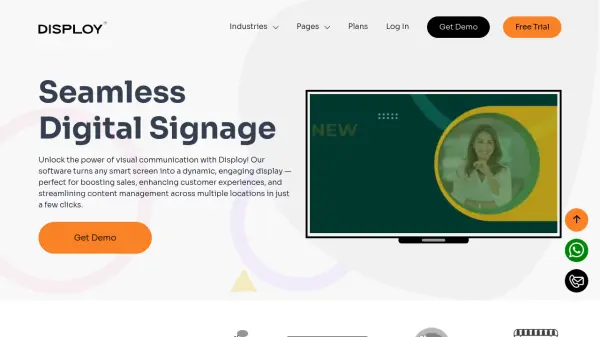
Disploy provides advanced digital signage software powered by a visual information-sharing cloud. This hardware-free solution enables businesses to effortlessly create and manage dynamic displays through a user-friendly interface. Users can upload content, design custom layouts, and schedule updates from any device, anywhere.
The cloud-based architecture ensures seamless synchronization across multiple screens, making it suitable for businesses of all sizes. By streamlining digital signage management, Disploy enhances efficiency, reduces costs, and delivers compelling visual communication to engage both customers and employees.
Features
- Remote Management: Control signage from anywhere with content upload, scheduling, and performance monitoring capabilities
- Multi-Screen Support: Synchronize content across multiple displays for single locations or global networks
- Customizable Templates: Professionally designed templates that can be tailored with layouts, colors, and brand-specific content
- Content Scheduling: Automate content publishing at predetermined times using visual calendar planning
- App Integrations: Connect with third-party apps including social media feeds, live news, weather updates, and YouTube Live
Use Cases
- Retail stores enhancing product promotion and brand identity
- Banks promoting financial schemes and improving customer engagement
- Educational institutions for campus-wide announcements and digital notice boards
- Hospitality venues displaying digital menus and local tourism information
- Healthcare facilities reducing patient wait times with engaging content
- Corporate offices for internal communication and employee engagement
- Event venues with interactive displays and navigation guides
- Gyms and fitness centers motivating members with workout demos and class schedules
FAQs
-
What types of media can be uploaded to Disploy?
Disploy supports various media types including images, videos, playlists, third-party apps, social media feeds, HTML5, live news, RSS feeds, and JSON content securely within the platform. -
Which devices and operating systems are compatible with Disploy?
Disploy is compatible with Android, Fire TV, Windows, Samsung displays, LG WebOS, and Amazon media players, offering flexibility across diverse tech environments. -
Does Disploy offer a free trial?
Yes, Disploy offers a 14-day free trial with no credit card required, allowing users to experience the digital signage platform risk-free. -
How does Disploy handle content when there's no internet connection?
Disploy includes offline play functionality where the system stores content within itself to run displays seamlessly even without an internet connection.