DisplayEase favicon

DisplayEase
Enterprise-Grade Digital Signage

What is DisplayEase?

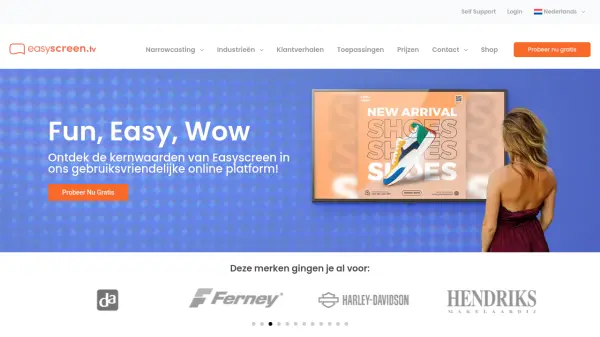
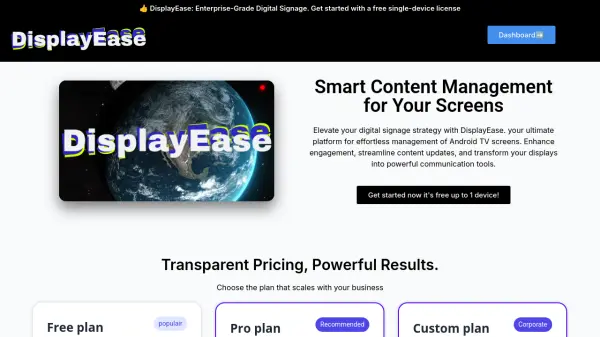
DisplayEase is an enterprise-grade digital signage platform designed to simplify the management of content on Android TV screens. It allows businesses to elevate their digital signage strategy by providing tools for effortless content updates and enhanced audience engagement.

The platform supports HTML, CSS, JS, and PHP, offering flexibility for creating and displaying a wide range of content. DisplayEase is designed to transform displays into powerful communication tools.

Features

  • Content Management: Effortless management of Android TV screen content.
  • 24/7 Support: Round-the-clock support via a ticket system for Pro and Corporate plans.
  • HTML, CSS, JS, and PHP Support: Allows for versatile content creation and display.
  • Scalable Plans: Pricing plans that can adapt to various business needs and sizes.
  • Free Single-Device License: Begin with a free license for a single device to test the platform.

Use Cases

  • Enhance customer engagement in retail environments.
  • Streamline internal communications in corporate offices.
  • Display dynamic information in public spaces.
  • Manage promotional content on multiple screens.
  • Update content on digital displays in real-time.

Related Tools:

Blogs:

  • Best AI tools for trip planning

    Best AI tools for trip planning

    These tools analyze user preferences, budget constraints, and destination details to provide personalized itineraries, suggest optimal routes, recommend accommodations, and even offer real-time updates on weather and local events.

  • Top 6 AI note-taking tools for 2026: in-person, online, and hybrid use cases

    Top 6 AI note-taking tools for 2026: in-person, online, and hybrid use cases

    Most AI note-taking lists are really lists of meeting bots, which join your video call and transcribe it. That's useful, but it's half the picture. Decisions happen in hallway conversations, client dinners, on-site visits, and hybrid rooms where nobody is on a video link. This guide covers different parts of the note-taking workflow: hardware capture for in-person settings, platform-native tools for online calls, and AI layers for organizing and synthesizing what you've captured. It compares six tools by capture context, workflow fit, pricing, and limitations.

  • Best AI tools for Lawyers

    Best AI tools for Lawyers

    streamline legal processes, enhance research capabilities, and improve overall efficiency in the legal profession.

Didn't find tool you were looking for?

Be as detailed as possible for better results